Latest videos
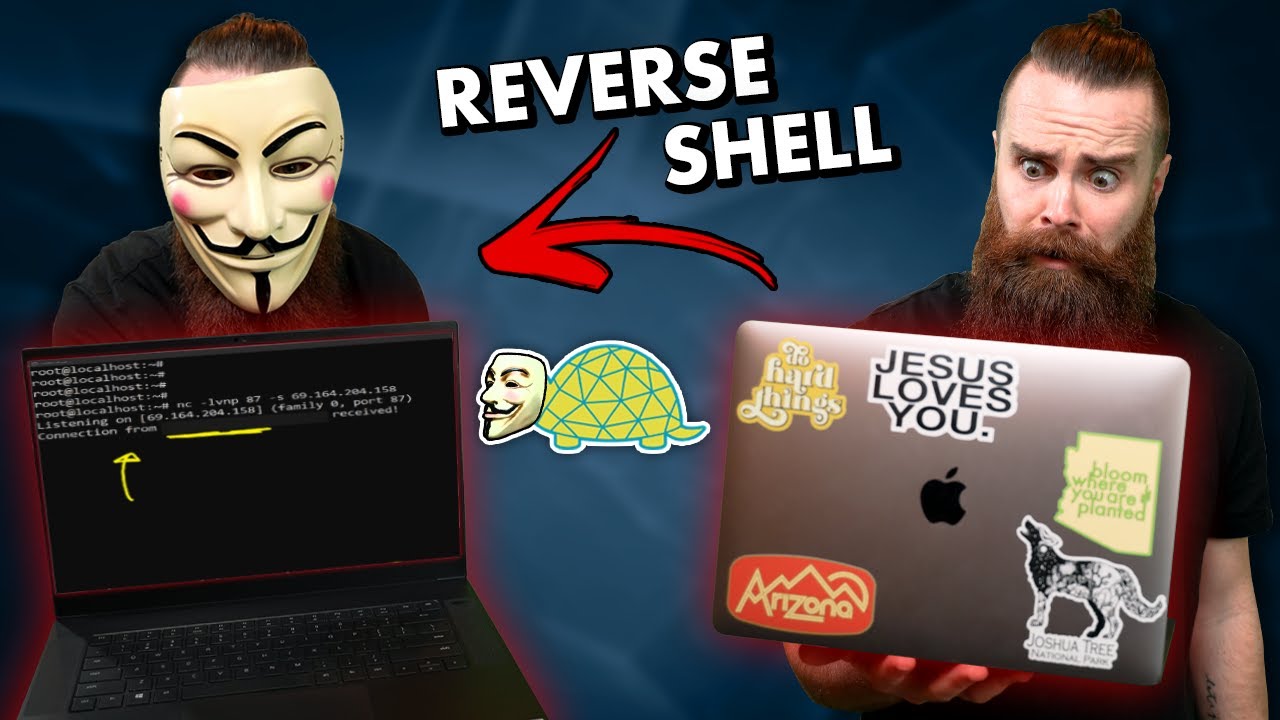
how to get remote access to your hacking targets // reverse shells with netcat (Windows and Linux!!)
Protect your grandma from RATS: https://bit.ly/bdnetworkchuck (try Bitdefender for FREE for 120 days)
🔎🔎Links and Guide: https://bit.ly/3r8zOWl
Checkout Hak5: https://bit.ly/38T8SkG (affiliate)
🏆🏆Win a Hak5 Lan Turtle: https://bit.ly/3hV2fCW
🔥🔥Join the NetworkChuck membership: https://bit.ly/3riRhek
SUPPORT NETWORKCHUCK
---------------------------------------------------
➡️NetworkChuck membership: https://bit.ly/3riRhek
☕☕ COFFEE and MERCH: https://NetworkChuck.coffee
Check out my new channel, https://bit.ly/nc_clips
🆘🆘NEED HELP?? Join the Discord Server: https://discord.gg/networkchuck
STUDY WITH ME on Twitch: https://bit.ly/nc_twitch
READY TO LEARN??
---------------------------------------------------
-Learn Python: https://bit.ly/3rzZjzz
-Get your CCNA: https://bit.ly/nc-ccna
FOLLOW ME EVERYWHERE
---------------------------------------------------
Instagram: https://www.instagram.com/networkchuck/
Twitter: https://twitter.com/networkchuck
Facebook: https://www.facebook.com/NetworkChuck/
Join the Discord server: http://bit.ly/nc-discord
0:00 ⏩ Intro
1:45 ⏩ What you need
2:24 ⏩ What is a REVERSE SHELL??
3:59 ⏩ Netcat...what’s that??
4:31 ⏩ STEP 1: Setup your attack box (free Cloud VM)
5:34 ⏩ STEP 2: netcat reverse shell on Linux
11:45 ⏩ STEP 3: netcat reverse shell on Windows
16:03 ⏩ Hak5 Lan Turtle reverse shell
18:49 ⏩ Giveaway - Hak5 Lan Turtle
AFFILIATES & REFERRALS
---------------------------------------------------
(GEAR I USE...STUFF I RECOMMEND)
My network gear: https://geni.us/L6wyIUj
Amazon Affiliate Store: https://www.amazon.com/shop/networkchuck
Buy a Raspberry Pi: https://geni.us/aBeqAL
#reverseshell #bitdefender #netcat

Try ThinLinc free for up to 10 concurrent users! Mention "NetworkChuck" for a special offer when buying licenses: https://bit.ly/cendio
NetworkChuck makes his entire team switch to a single Linux terminal server using ThinLinc! Watch as Chuck's employees remote into the centralized server, transforming their workflow and showcasing the power of Linux. Alongside Chuck, Alex guides you through installing ThinLinc on both client and server sides. See the team in action as Mike creates a Blender model and Florida Nick edits it, all on the terminal server. Whether you're a Linux enthusiast or curious about remote desktop solutions, discover the power of ThinLinc!
LINKS / RESOURCES:
Every webpage/resource mentioned in the video:
https://oldacademy.networkchuc....k.com/blog/ThinLincR
Download the Kokey model from printables: https://www.printables.com/mod....el/938024-beloved-ko
🔥🔥Join the NetworkChuck Academy!: https://ntck.co/NCAcademy
**Sponsored by Cendio
SUPPORT NETWORKCHUCK
---------------------------------------------------
➡️NetworkChuck membership: https://ntck.co/Premium
☕☕ COFFEE and MERCH: https://ntck.co/coffee
Check out my new channel: https://ntck.co/ncclips
🆘🆘NEED HELP?? Join the Discord Server: https://discord.gg/networkchuck
STUDY WITH ME on Twitch: https://bit.ly/nc_twitch
READY TO LEARN??
---------------------------------------------------
-Learn Python: https://bit.ly/3rzZjzz
-Get your CCNA: https://bit.ly/nc-ccna
FOLLOW ME EVERYWHERE
---------------------------------------------------
Instagram: https://www.instagram.com/networkchuck/
Twitter: https://twitter.com/networkchuck
Facebook: https://www.facebook.com/NetworkChuck/
Join the Discord server: http://bit.ly/nc-discord
AFFILIATES & REFERRALS
---------------------------------------------------
(GEAR I USE...STUFF I RECOMMEND)
My network gear: https://geni.us/L6wyIUj
Amazon Affiliate Store: https://www.amazon.com/shop/networkchuck
Buy a Raspberry Pi: https://geni.us/aBeqAL
Do you want to know how I draw on the screen?? Go to https://ntck.co/EpicPen and use code NetworkChuck to get 20% off!!
fast and reliable unifi in the cloud: https://hostifi.com/?via=chuck
0:00 - Introduction
0:46 - What is a Terminal Server?
3:30 - What do you need?
4:45 - Installing ThinLinc (Server-side)
8:09 - Adding Users
8:55 - Installing ThinLinc (Client-side)
10:36 - Installing VirtualGL
16:42 - The Team Tries out ThinLinc
18:05 - Who is “Kokey”?
19:22 - Mike Update
20:11 - Web Administration Tool
"How to set up ThinLinc"
"ThinLinc installation guide"
"Building a Linux terminal server"
"Remote desktop solutions with ThinLinc"
"ThinLinc server configuration"
"Linux terminal server setup"
"ThinLinc client installation"
"Using ThinLinc for remote access"
"Best practices for ThinLinc"
"ThinLinc performance optimization"
"ThinLinc server management"
"Collaborative work with ThinLinc"
"Linux desktop virtualization"
"ThinLinc troubleshooting tips"
"ThinLinc for IT professionals"
"ThinLinc remote desktop software"
"Setting up ThinLinc on Linux"
"ThinLinc server and client guide"
"ThinLinc for small businesses"
"ThinLinc use cases"
"Remote work with ThinLinc"
"ThinLinc for educational institutions"
"NetworkChuck ThinLinc tutorial"
"ThinLinc features and benefits"
"ThinLinc user experience"
"Remote desktop with ThinLinc"
"ThinLinc installation and setup"
"ThinLinc server performance tips"
"ThinLinc client setup guide"
"Linux terminal server tutorial"
"ThinLinc remote work solutions"
"ThinLinc for creative professionals"
"ThinLinc server deployment"
"ThinLinc and Blender tutorial"
"Editing with ThinLinc server"
"ThinLinc installation steps"
"ThinLinc network setup"
"ThinLinc server optimization"
"ThinLinc user configuration"
"Remote access with ThinLinc"
"ThinLinc video tutorial"
"Using ThinLinc in the workplace"
"ThinLinc server and client setup"
"ThinLinc for home labs"
"ThinLinc and Linux integration"
"ThinLinc support and resources"
"ThinLinc demo and review"
"ThinLinc installation walkthrough"
"ThinLinc for remote desktop needs"
"ThinLinc server and client overview"
#thinlinc #linux #terminalserver
This video is sponsored by NetworkChuck Coffee. Grab a bag of Default Route (my favorite) and fuel your next build: https://ntck.co/coffee
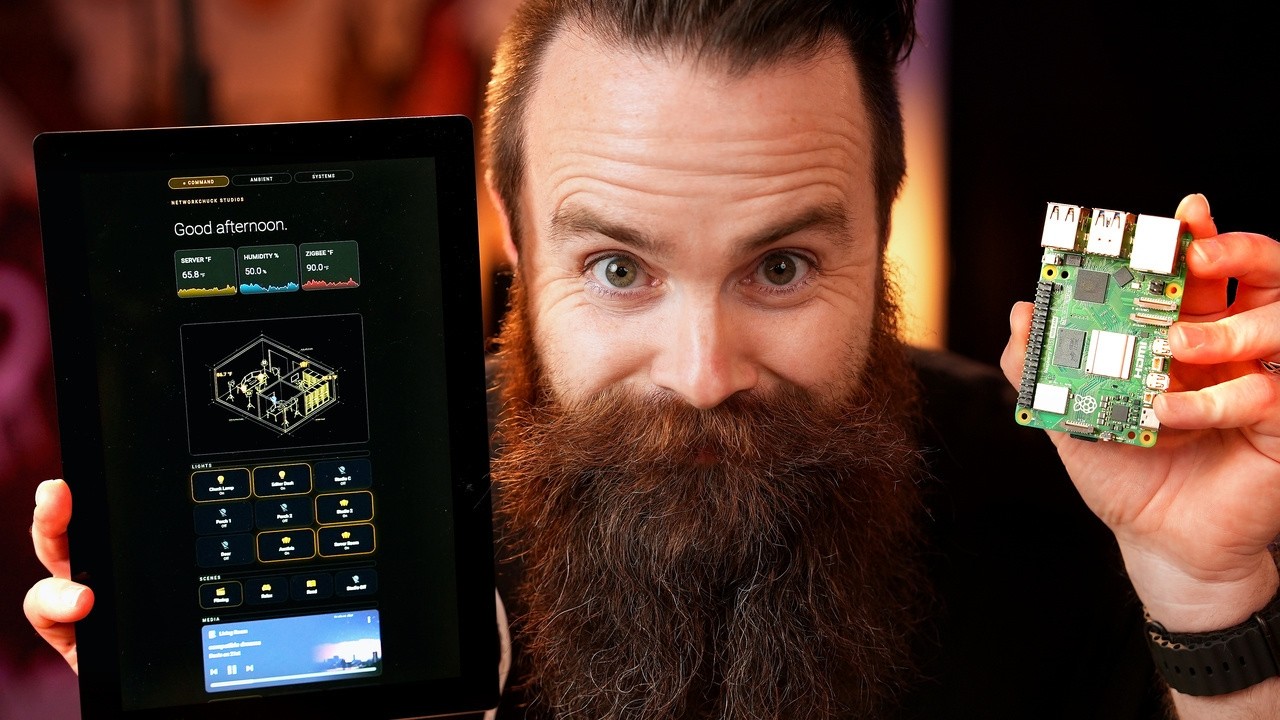
Raspberry Pi sent me the new Raspberry Pi Touch Display 2, the 10 inch portrait version, and I mounted it on my studio wall to run all my Home Assistant and homelab stuff. It is a gorgeous little screen (1200x1920, real IPS, 10 finger touch, 400 nits) and at $80 it is a steal. There is one catch though, and a lot of you are not going to like it: this thing only works on the Raspberry Pi 5 and the Compute Modules. Your Pi 3 or Pi 4 will not work at all.
In this video I unbox it, walk through everything that is new versus the old touch display, hit a wall when it powered on and did absolutely nothing (turns out you have to update the firmware on your Pi 5, the EEPROM, before it will recognize the screen), mount it with nothing but a drill and some screws, and finally turn it into a beautiful Home Assistant dashboard using an open source kiosk app called TouchKio. Whether you are building a smart home wall panel, a homelab status board, or you just want your Raspberry Pi to show off what it is doing, this is a really good option.
Join the NetworkChuck Academy!: https://ntck.co/NCAcademy
RESOURCES / LINKS:
🌐 Raspberry Pi Touch Display 2: https://www.raspberrypi.com/pr....oducts/touch-display
🛠️ TouchKio (open source kiosk app): https://github.com/leukipp/touchkio
🏠 Home Assistant: https://www.home-assistant.io/
🖥️ Proxmox: https://www.proxmox.com/
📖 Update your Raspberry Pi firmware (EEPROM): https://www.raspberrypi.com/do....cumentation/computer
☕ NetworkChuck Coffee (Default Route): https://ntck.co/coffee
TIMESTAMPS:
0:00 - Unboxing the new Raspberry Pi Touch Display 2
0:45 - What is new on the 10 inch portrait display
1:50 - The catch: Raspberry Pi 5 and Compute Modules only
2:48 - It powered on and nothing happened
3:16 - The fix: updating your Raspberry Pi 5 firmware
5:55 - Building the Home Assistant dashboard with TouchKio
**Raspberry Pi provided the Touch Display 2 for this video, no strings attached. All opinions are my own.
SUPPORT NETWORKCHUCK:
☕☕ COFFEE and MERCH: https://ntck.co/coffee
READY TO LEARN??
🔥🔥Join the NetworkChuck Academy!: https://ntck.co/NCAcademy
📚 CCNA Course: https://ntck.co/ccna
FOLLOW ME EVERYWHERE:
Instagram: https://www.instagram.com/networkchuck/
X/Twitter: https://x.com/networkchuck
Facebook: https://www.facebook.com/NetworkChuck/
Join the Discord server: https://ntck.co/discord
Some links in this description are affiliate links. If you buy through them, I may earn a small commission at no extra cost to you.
#raspberrypi #homeassistant #homelab

Is your stuff for sale on the Dark Web? Find out with Dashlane: https://dashlane.com/networkchuck50 (50% off) with code NETWORKCHUCK50
🔒🌐 How to Access the Dark Web in 2023 Safely: 3 Levels of Security 🌐🔒
Ever heard of the Dark Web and wondered how to access it? The allure of the unknown is captivating, but it can also be perilous. In this video, I guide you through 3 different methods to access the Dark Web, ranging from basic to high-security measures. We'll delve into what the Dark Web actually is, its legitimate uses, and the precautions you should take when navigating this mysterious part of the internet.
📝 What You'll Learn:
✅ The Good, the Bad, and the Ugly of the Dark Web
✅ Why the ToR Browser alone might not be enough
✅ How a VPN can add an extra layer of security
✅ The ultimate security with Tails
✅ Bonus: The NetworkChuck Cloud Browser
💡 Sponsored by Dashlane: Don't let your personal information be up for sale on the Dark Web! Use Dashlane's powerful password manager and dark web monitoring services to keep your digital life secure. Get Dashlane: https://dashlane.com/networkchuck50 (50% off) with code NETWORKCHUCK50
🎥 Related Videos:
I Put a Dark Web website on a Raspberry Pi: https://youtu.be/bllS9tkCkaM?si=jTxWSdxsow9ROokB
👇 Resources & Links:
ToR Browser: https://www.torproject.org/download/
Dashlane: https://dashlane.com/networkchuck50
Tails: https://tails.net/
👀 Who Should Watch This?
Curious about the Dark Web
Concerned about Online Security
Aspiring Ethical Hackers
Network Enthusiasts
🔔 If you found this video informative and helpful, please consider subscribing and hitting the bell to get notified of our latest content!
🔥🔥Join the NetworkChuck Academy!: https://ntck.co/NCAcademy
SUPPORT NETWORKCHUCK
---------------------------------------------------
➡️NetworkChuck membership: https://ntck.co/Premium
☕☕ COFFEE and MERCH: https://ntck.co/coffee
Check out my new channel: https://ntck.co/ncclips
🆘🆘NEED HELP?? Join the Discord Server: https://discord.gg/networkchuck
STUDY WITH ME on Twitch: https://bit.ly/nc_twitch
READY TO LEARN??
---------------------------------------------------
-Learn Python: https://bit.ly/3rzZjzz
-Get your CCNA: https://bit.ly/nc-ccna
FOLLOW ME EVERYWHERE
---------------------------------------------------
Instagram: https://www.instagram.com/networkchuck/
Twitter: https://twitter.com/networkchuck
Facebook: https://www.facebook.com/NetworkChuck/
Join the Discord server: http://bit.ly/nc-discord
AFFILIATES & REFERRALS
---------------------------------------------------
(GEAR I USE...STUFF I RECOMMEND)
My network gear: https://geni.us/L6wyIUj
Amazon Affiliate Store: https://www.amazon.com/shop/networkchuck
Buy a Raspberry Pi: https://geni.us/aBeqAL
Do you want to know how I draw on the screen?? Go to https://ntck.co/EpicPen and use code NetworkChuck to get 20% off!!
fast and reliable unifi in the cloud: https://hostifi.com/?via=chuck
#darkweb #tailslinux
Dark Web 2023 Guide
How to Access the Dark Web Safely
Secure Dark Web Browsing
Using ToR Browser for Dark Web
Dark Web Security Levels
VPN and Dark Web
Exploring the Dark Web
Onion Network Explained
Dashlane for Dark Web Monitoring
Anonymity on the Dark Web
Risks of the Dark Web
Tails OS for Dark Web
Dark Web vs Deep Web
Protect Yourself on the Dark Web
Onion Routing Security
Access .onion sites safely
Dark Web Encryption
Criminal Activities on the Dark Web
Legitimate Uses of the Dark Web
Journalists and the Dark Web
Government and the Dark Web
Secure Email on the Dark Web
Three Layers of Dark Web Security
CIA's Presence on the Dark Web
Snowden-level Security on Dark Web
Dark Web Myths and Facts
Free Expression on the Dark Web
Dark Web for Beginners
Advanced Dark Web Access Techniques
Avoid Dark Web Scams

Discover the new Bitdefender Scamio (free, easy-to-use Ai chatbot for detecting and preventing scams): https://ntck.co/scamio
⛱️⛱️Need a safe and easy way to practice your ethical hacking activities? Try out the NetworkChuck Kali Sandbox. This is an isolated learning environment accessible directly from your web browser: https://ntck.co/sandbox
🧻🧻Download the command cheat sheet here: https://ntck.co/60hackingcmds
Here are the top 60 hacking commands you need to know, complete with a free Kali Linux sandbox link for practice. Learn to scan networks with Nmap, expedite recon with Masscan, and adeptly manipulate packets. Suitable for any skill level, and comes with a downloadable cheat sheet.
FOLLOW THESE HACKERS!!
---------------------------------------------------
John Hammond: https://www.youtube.com/@_JohnHammond
Nahamsec: https://www.youtube.com/@NahamSec
TomNomNom: https://www.youtube.com/@TomNomNomDotCom
🔥🔥Join the NetworkChuck Academy!: https://ntck.co/NCAcademy
**Sponsored by Bitdefender
SUPPORT NETWORKCHUCK
---------------------------------------------------
➡️NetworkChuck membership: https://ntck.co/Premium
☕☕ COFFEE and MERCH: https://ntck.co/coffee
Check out my new channel: https://ntck.co/ncclips
🆘🆘NEED HELP?? Join the Discord Server: https://discord.gg/networkchuck
STUDY WITH ME on Twitch: https://bit.ly/nc_twitch
READY TO LEARN??
---------------------------------------------------
-Learn Python: https://bit.ly/3rzZjzz
-Get your CCNA: https://bit.ly/nc-ccna
FOLLOW ME EVERYWHERE
---------------------------------------------------
Instagram: https://www.instagram.com/networkchuck/
Twitter: https://twitter.com/networkchuck
Facebook: https://www.facebook.com/NetworkChuck/
Join the Discord server: http://bit.ly/nc-discord
AFFILIATES & REFERRALS
---------------------------------------------------
(GEAR I USE...STUFF I RECOMMEND)
My network gear: https://geni.us/L6wyIUj
Amazon Affiliate Store: https://www.amazon.com/shop/networkchuck
Buy a Raspberry Pi: https://geni.us/aBeqAL
Do you want to know how I draw on the screen?? Go to https://ntck.co/EpicPen and use code NetworkChuck to get 20% off!!
fast and reliable unifi in the cloud: https://hostifi.com/?via=chuck
Here's the shortened list of timestamps with one entry per tool:
00:26 ping
00:56 iftop
01:20 hping3
02:32 ptunnel
03:02 tcpdump
04:00 TomNomNom - vim -
04:31 nmap
06:09 masscan
06:48 John Hammond - sl
08:47 whois
09:04 whatweb
09:29 Nahamsec - curl
12:47 nikto
13:05 gobuster
13:28 apt install seclists
13:37 wget
14:27 sublist3r
14:54 wpscan
16:04 amass
16:22 git
16:53 searchsploit
18:24 John Hammond - sudo chmod +s /bin/bash
21:13 tshark
22:19 timeout
23:24 tmux
24:24 ssh
25:40 nc reverse shell
26:32 nc chat server
Top hacking commands for ethical hackers
Essential Linux commands for penetration testing
Network reconnaissance techniques using Nmap and Masscan
Vulnerability scanning with Nmap scripts and Nikto
Subdomain enumeration using Gobuster and Sublist3r
WordPress vulnerability assessment with WPScan
Exploiting common network protocols with Hping3
Packet capturing and analysis with Tcpdump and Tshark
Bypassing firewalls and IDS using packet fragmentation and decoys
Privilege escalation techniques with SUID binaries
SSH tunneling for secure communication and bypassing restrictions
Network traffic monitoring and bandwidth analysis using Iftop
Conducting TCP traceroutes with Hping3
Tunneling TCP over ICMP with Ptunnel
Searching for exploits using Searchsploit
Streamlining ethical hacking workflow with Tmux
Gathering domain and IP information with Whois and Dig
Identifying website technologies with WhatWeb
Interacting with web services using Curl
Wordlist generation and management with SecLists
Offline packet analysis and filtering with Tshark
Establishing reverse shells with Netcat
Git for managing and updating hacking tools
Advanced text manipulation in Vim for efficient analysis
Enhancing terminal productivity with aliases and functions
#hacking #linux #commandline

Let's follow a packet through the layers of the TCP/IP and OSI model!! // CCNA Course 200-301 - sponsored by the Boson Software: https://ntck.co/bnexccna (affiliate)
Start your CCNA journey (Summer of CCNA): https://ntck-ac.co/summerofccna
Watch the whole course: https://bit.ly/nc-ccna
Go deeper: https://ntck-ac.co/ck
🔥🔥Join the NetworkChuck Academy!: https://ntck.co/NCAcademy
☕☕OFFICIAL NetworkChuck Coffee: https://NetworkChuck.coffee ☕☕
Watch the whole course: https://bit.ly/nc-ccna
Join the Discord server: http://bit.ly/nc-discord
Install Packet Tracer: https://bit.ly/packtracer
CCNA Episode 3 Packet Tracer Lab: https://bit.ly/ccnaep2pt
0:40 ⏩ starting the journey
2:03 ⏩ the Application Layer (7)
3:54 ⏩ the Transport Layer (4)
4:57 ⏩ ENCAPSULATION!!!!
5:57 ⏩ the Network Layer (3)
7:07 ⏩ the Data Link Layer (2)
8:49 ⏩ DE-encapsulation
10:41 ⏩ MORE de-encapsulation
12:30 ⏩ QUIZ TIME!!!
🔥🔥Get your CCNA with BOSON🔥🔥
-CCNA Lab: https://bit.ly/bosonccna2020 (Boson NetSim) (affiliate)
-CCNA Practice Exam: https://bit.ly/bosonexsimccna (Boson ExSim) (affiliate)
-CCNP Lab: https://bit.ly/encornetsim (Boson NetSim) (affiliate)
-CCNP Practice Exam: https://bit.ly/encorexsim (Boson ExSim) (affiliate)
➡️Support NetworkChuck: https://bit.ly/join_networkchuck
☕or buy me a coffee: https://ko-fi.com/networkchuck ☕
other FANTASTIC CCNA training resources:
FULL CCNA course: http://bit.ly/2BJazQG ( @David Bombal )
ITProTV: https://bit.ly/itprotvnetchuck
🔥Learn Python🔥
Codecademy: http://bit.ly/2Me22NH
(GEAR I USE...STUFF I RECOMMEND)
My network gear: https://geni.us/L6wyIUj
Amazon Affiliate Store: https://www.amazon.com/shop/networkchuck
Buy a Raspberry Pi: https://geni.us/aBeqAL
#ccna #ccna200301 #freeccna

Get 20% OFF + Free Shipping with code NETWORKCHUCK at https://mnscpd.com/NetworkChuck
🔥 Start your CCNA journey (Summer of CCNA): https://ntck-ac.co/summerofccna
Ready to get your CCNA? CCNP? Use the BEST tools: https://ntck.co/bnexccna (Boson ExSim) (affiliate)
Tired of sucking at Subnetting or don’t even know what Subnetting is? Well NetworkChuck has the course for you! Sign up for the course here: https://ntck.co/Subnetting
🔥🔥Join the NetworkChuck membership: https://ntck.co/Premium
**Sponsored by Manscaped and Boson Software
SUPPORT NETWORKCHUCK
---------------------------------------------------
➡️NetworkChuck membership: https://ntck.co/Premium
☕☕ COFFEE and MERCH: https://ntck.co/coffee
Check out my new channel: https://ntck.co/ncclips
🆘🆘NEED HELP?? Join the Discord Server: https://discord.gg/networkchuck
STUDY WITH ME on Twitch: https://bit.ly/nc_twitch
READY TO LEARN??
---------------------------------------------------
-Learn Python: https://bit.ly/3rzZjzz
-Get your CCNA: https://bit.ly/nc-ccna
FOLLOW ME EVERYWHERE
---------------------------------------------------
Instagram: https://www.instagram.com/networkchuck/
Twitter: https://twitter.com/networkchuck
Facebook: https://www.facebook.com/NetworkChuck/
Join the Discord server: http://bit.ly/nc-discord
0:00 ⏩ Intro
0:56 ⏩ Ad read
1:42 ⏩ What the junk is an IP address?
2:20 ⏩ How do you find your devices IP address?
3:50 ⏩ How did your device get this IP address?
4:45 ⏩ I bet I can guess your IP address
5:20 ⏩ A quick subnetting hack
7:35 ⏩ Analogy time!
10:10 ⏩ Miss Default gateway
11:06 ⏩ Challenge question!
11:45 ⏩ Challenge answer, I doubt you got it!
14:03 ⏩ We learned a lot! Let’s do a recap!
15:47 ⏩ End ad read!(Stick around for this one)
18:30 ⏩ Outro
AFFILIATES & REFERRALS
---------------------------------------------------
(GEAR I USE...STUFF I RECOMMEND)
My network gear: https://geni.us/L6wyIUj
Amazon Affiliate Store: https://www.amazon.com/shop/networkchuck
Buy a Raspberry Pi: https://geni.us/aBeqAL
#ccna #cisco #subnetting

Build your next random idea on a Hostinger: https://hostinger.com/chuckfifa
I spent two days inside the FIFA World Cup International Broadcast Center (IBC), the temporary network that carries every camera, every replay, every goal from 16 stadiums, and the HBS team even handed me a packet capture of a real match. So we open it in Wireshark: uncompressed ST 2110 video, 150,000 multicast flows, and a failover trick that will make any network engineer smile.
🎓 I asked the crew HOURS of questions that didn't fit in this video, the full behind-the-scenes interviews are on NetworkChuck Academy: https://ntck-ac.co/fifa?utm_source=youtube&utm_medium=video&utm_campaign=fifa_world_cup_2026&utm_content=fifa_main_tour
RESOURCES / LINKS:
🎮 Play the Backrooms of the IBC (built on a Hostinger VPS with a Hermes agent): https://srv732026.hstgr.cloud
📚 THE SIGNAL — the World Cup networking comic I made for my kids: https://srv732026.hstgr.cloud/comic/
🛠️ Wireshark (decode packets yourself): https://www.wireshark.org
🌐 Official IBC Tours site: https://ibctours.tv
📺 The Hermes video (the AI agent that built the game): https://www.youtube.com/watch?v=QQEgIo4Juxg
TIMESTAMPS:
0:00 - The World Cup is made in Dallas
1:29 - Following one match: Boston → the IBC → the world
3:06 - How a match gets "made" 1,500 miles from the stadium
4:32 - The fiber (and the red/blue trick)
7:08 - Multicast Martin and 150,000 flows
11:52 - The thing I built at 1AM on a Hostinger VPS
14:10 - The people who make the World Cup
16:07 - Decoding a REAL World Cup match in Wireshark
21:45 - Addie's question: the sound of the ball
23:20 - The stadium, the backup plan, and the teardown
29:30 - A prayer for the stressed
FEATURING (huge thanks to the crew who make the World Cup — and this video — possible):
👤 Christoph Barbet — Head of Broadcast Infrastructure, HBS (Host Broadcast Services)
👤 "Multicast Martin" — broadcast SDN / TFC
👤 Alex — Master Control Room Supervisor
👤 Wolfgang Herman — IBC Communications Engineer
👤 Mick — Audio Listener
👤 Anthony & Colin — Layer 1 / Broadcast Support
👤 Steve — Control Systems & Dashboards
👤 Gavin — Stadium Manager, AT&T Stadium
**Sponsored by Hostinger
SUPPORT NETWORKCHUCK:
☕☕ COFFEE and MERCH: https://ntck.co/coffee
READY TO LEARN??
🔥🔥Join the NetworkChuck Academy!: https://ntck.co/NCAcademy
📚 CCNA Course: https://ntck.co/ccna
FOLLOW ME EVERYWHERE:
Instagram: https://www.instagram.com/networkchuck/
X/Twitter: https://x.com/networkchuck
Facebook: https://www.facebook.com/NetworkChuck/
Join the Discord server: https://ntck.co/discord
Some links in this description are affiliate links. If you buy through them, I may earn a small commission at no extra cost to you. #sponsored
#worldcup #networking #networkchuck

This video was originally sponsored by ITProTV. We’ve since launched NetworkChuck Academy, our own place to learn IT: https://ntck.co/NCAcademy
🔎🔎FREE Python Lab: https://ntck.co/python
Support the course: https://ntck.co/pythonrightnow
🔥🔥Join the NetworkChuck membership: https://ntck.co/Premium
**Sponsored by ITProTV
SUPPORT NETWORKCHUCK
---------------------------------------------------
➡️NetworkChuck membership: https://ntck.co/Premium
☕☕ COFFEE and MERCH: https://ntck.co/coffee
Check out my new channel: https://ntck.co/ncclips
🆘🆘NEED HELP?? Join the Discord Server: https://discord.gg/networkchuck
STUDY WITH ME on Twitch: https://bit.ly/nc_twitch
READY TO LEARN??
---------------------------------------------------
-Learn Python: https://bit.ly/3rzZjzz
-Get your CCNA: https://bit.ly/nc-ccna
FOLLOW ME EVERYWHERE
---------------------------------------------------
Instagram: https://www.instagram.com/networkchuck/
Twitter: https://twitter.com/networkchuck
Facebook: https://www.facebook.com/NetworkChuck/
Join the Discord server: http://bit.ly/nc-discord
0:00 ⏩ Intro
1:23 ⏩ FREE Python lab
2:39 ⏩ your FIRST Python code (hello world)
3:20 ⏩ What is Python?
4:16 ⏩ DEEP DIVE: Hello World!!
4:43 ⏩ “Strings”
6:35 ⏩ Comments
8:22 ⏩ Erros in Python
10:30 ⏩ “””multi-line strings”””
11:42 ⏩ Add strings together (concatenate)
AFFILIATES & REFERRALS
---------------------------------------------------
(GEAR I USE...STUFF I RECOMMEND)
My network gear: https://geni.us/L6wyIUj
Amazon Affiliate Store: https://www.amazon.com/shop/networkchuck
Buy a Raspberry Pi: https://geni.us/aBeqAL
#python #pythonrightnow #learnpython
TAGS:
Python, python for hackers, python for everyone, python for everybody, python right now, you need to learn python right now, learn python, python for beginners

It's time to get SERIOUS about your CCNA. Take the next steps with Boson: https://ntck.co/bnexccna (Boson ExSim) (affiliate)
Start your CCNA journey (Summer of CCNA): https://ntck-ac.co/summerofccna
Watch the whole course: https://bit.ly/nc-ccna
Go deeper: https://ntck-ac.co/ck
🔥🔥Join the NetworkChuck Academy!: https://ntck.co/NCAcademy
How to make an Ethernet cable - In this video, NetworkChuck shows you how to make an RJ45 Cat5e Ethernet network cable while teaching his daughters. Also, how do Ethernet cables work? NetworkChuck takes you on a deep dive into how your internet traffic flows across an Ethernet cable.
Video Stuff
---------------------------------------------------
a fantastic article on ethernet: http://bit.ly/3sqoeVQ
EVERYTHING you need to make an ethernet cable: https://geni.us/JVvh93 (affiliate)
**Sponsored by Boson Software
It's time to get your CCNA!
---------------------------------------------------
►Watch the whole course: https://bit.ly/nc-ccna
►CCNA Courseware: http://bit.ly/boson_cw (Boson) (Affiliate)
►CCNA Lab: https://bit.ly/bosonccna2020 (Boson NetSim) (affiliate)
►CCNA Practice Exam: https://bit.ly/bosonexsimccna (Boson ExSim) (affiliate)
►CCNP Lab: https://bit.ly/encornetsim (Boson NetSim) (affiliate)
►CCNP Practice Exam: https://bit.ly/encorexsim (Boson ExSim) (affiliate)
Check out my new channel, @NetworkChuck Clips
🆘🆘NEED HELP?? Join the Discord Server: https://discord.gg/networkchuck
SUPPORT NETWORKCHUCK
---------------------------------------------------
➡️Become a YouTube Member: https://bit.ly/join_networkchuck
☕OFFICIAL NetworkChuck Coffee: https://NetworkChuck.coffee
STUDY WITH ME on Twitch: https://bit.ly/nc_twitch
READY TO LEARN??
---------------------------------------------------
-Learn Python: https://bit.ly/3rzZjzz
-Get your CCNA: https://bit.ly/nc-ccna
FOLLOW ME EVERYWHERE
---------------------------------------------------
Instagram: https://www.instagram.com/networkchuck/
Twitter: https://twitter.com/networkchuck
Facebook: https://www.facebook.com/NetworkChuck/
Join the Discord server: http://bit.ly/nc-discord
0:00 ⏩ Intro
1:21 ⏩ What do you need?
4:04 ⏩ make an ethernet cable????? (what does that mean?)
4:21 ⏩ STEP 1: Take off the cable's pants (remove some sheath)
6:40 ⏩ HOW ethernet cables work (a deep dive)
7:33 ⏩ what is the ethernet jacket (sheath?)
7:59 ⏩ twisted pair? Why?
9:31 ⏩ 1000BASE-T
10:40 ⏩ 10BASE-T and 100BASE-TX
12:49 ⏩ how data is sent over an ethernet cable
13:43 ⏩ Ethernet NICs
18:02 ⏩ the straight-through cable
19:07 ⏩ the crossover cable
21:44 ⏩ Gigabit Ethernet (CAT5e)
26:13 ⏩ the magic of Auto MDI-X
29:39 ⏩ STEP 2: Put your wires in order
33:33 ⏩ STEP 3: Trim your wires
33:58 ⏩ STEP 4: RJ45 header crimp time
36:39 ⏩ STEP 5: TEST your cable
38:40 ⏩ QUIZ TIME
other FANTASTIC CCNA training resources:
FULL CCNA course: http://bit.ly/2BJazQG ( @David Bombal )
ITProTV: https://bit.ly/itprotvnetchuck
🔥Learn Python🔥
Codecademy: http://bit.ly/3rzZjzz
👊Join thisisIT: https://bit.ly/thisisitio 👊
AFFILIATES & REFERRALS
---------------------------------------------------
(GEAR I USE...STUFF I RECOMMEND)
My network gear: https://geni.us/L6wyIUj
Amazon Affiliate Store: https://www.amazon.com/shop/networkchuck
Buy a Raspberry Pi: https://geni.us/aBeqAL
#ccna #ethernetcable

DNS can be hacked….use SecureDNS from Twingate to protect yourself and your people: https://ntck.co/twingate_zerotrust
🔍 Your Web Browser is Dumb….without DNS🔍
Did you know your web browser is clueless when it comes to finding websites? When you type in a URL like academy.networkchuck.com, your browser has no idea where to go. That's where DNS, the Domain Name System, steps in to save the day! 🌐
In this video, we dive deep into the magic behind DNS. We'll break down how your browser queries DNS servers to turn website names into IP addresses, making the internet work seamlessly. From how DNS can be hacked to how you can secure your own DNS with tools like SecureDNS from TwinGate, we've got it all covered. 💻
🔐 DNS Security Tips: Learn how to use DNS over HTTPS (DOH), DNS over TLS (DOT), and other methods to keep your browsing secure from hackers and prying eyes. Protect your privacy and keep your internet safe.
🛠️ Tools Mentioned:
TwinGate for SecureDNS
Raspberry Pi for DIY DNS servers
AdGuard and PiHole for ad-blocking and DNS control
Grab your coffee ☕, and let’s dive into how the internet really works!
👉 Subscribe for more IT tutorials, cybersecurity tips, and fun tech projects!
🔥🔥Join the NetworkChuck Academy!: https://ntck.co/NCAcademy
💻📱Check out our new course, Laptop and Mobile Device Basics: https://ntck.co/mobiledevices
**Sponsored by Twingate
00:00 - Introduction: Why your browser is "dumb"
01:46 - What is DNS? (The Contacts app of the Internet)
04:02 - DNS Hierarchy: The Mafia Bosses of the Internet
09:13 - Securing DNS from Hackers
15:30 - DNS Records Explained: A, NS, MX, and More
19:55 - Real-world example: Buying a New Domain
22:58 - Running Your Own DNS Server and Ethical DNS Hacking
SUPPORT NETWORKCHUCK
---------------------------------------------------
➡️NetworkChuck membership: https://ntck.co/Premium
☕☕ COFFEE and MERCH: https://ntck.co/coffee
Check out my new channel: https://ntck.co/ncclips
🆘🆘NEED HELP?? Join the Discord Server: https://discord.gg/networkchuck
STUDY WITH ME on Twitch: https://bit.ly/nc_twitch
READY TO LEARN??
---------------------------------------------------
-Learn Python: https://bit.ly/3rzZjzz
-Get your CCNA: https://bit.ly/nc-ccna
FOLLOW ME EVERYWHERE
---------------------------------------------------
Instagram: https://www.instagram.com/networkchuck/
Twitter: https://twitter.com/networkchuck
Facebook: https://www.facebook.com/NetworkChuck/
Join the Discord server: http://bit.ly/nc-discord
AFFILIATES & REFERRALS
---------------------------------------------------
(GEAR I USE...STUFF I RECOMMEND)
My network gear: https://geni.us/L6wyIUj
Amazon Affiliate Store: https://www.amazon.com/shop/networkchuck
Buy a Raspberry Pi: https://geni.us/aBeqAL
Do you want to know how I draw on the screen?? Go to https://ntck.co/EpicPen and use code NetworkChuck to get 20% off!!
fast and reliable unifi in the cloud: https://hostifi.com/?via=chuck
- Understanding DNS basics
- How DNS queries work
- DNS over HTTPS explained
- Setting up a home DNS server
- Importance of DNS security
- Protecting against DNS spoofing
- How to secure your DNS
- NetworkChuck's guide to DNS
- DNS server setup tutorial
- Recursive DNS server explained
- DNS caching and its benefits
- How to use AdGuard for DNS
- PiHole DNS server setup
- Cloudflare DNS features
- Google public DNS overview
- What is a stub resolver?
- Role of TLD servers in DNS
- How to prevent DNS attacks
- Using Twingate for secure DNS
- Ethical hacking and DNS security
- Advanced DNS configurations
- How to encrypt DNS queries
- Benefits of using DOH
- NetworkChuck's cybersecurity tips
#dns #doh #securedns

This video was originally sponsored by ITProTV. We’ve since launched NetworkChuck Academy, our own place to learn IT: https://ntck.co/NCAcademy
Here are 30 MORE Windows Command Prompt commands you need to know!!
🔥🔥Download the FREE command cheat sheet here: https://ntck.co/30cmdscs
🔥🔥Join the NetworkChuck Academy!: https://ntck.co/NCAcademy
**Sponsored by ITPro by ACI Learning
SUPPORT NETWORKCHUCK
---------------------------------------------------
➡️NetworkChuck membership: https://ntck.co/Premium
☕☕ COFFEE and MERCH: https://ntck.co/coffee
Check out my new channel: https://ntck.co/ncclips
🆘🆘NEED HELP?? Join the Discord Server: https://discord.gg/networkchuck
STUDY WITH ME on Twitch: https://bit.ly/nc_twitch
READY TO LEARN??
---------------------------------------------------
-Learn Python: https://bit.ly/3rzZjzz
-Get your CCNA: https://bit.ly/nc-ccna
FOLLOW ME EVERYWHERE
---------------------------------------------------
Instagram: https://www.instagram.com/networkchuck/
Twitter: https://twitter.com/networkchuck
Facebook: https://www.facebook.com/NetworkChuck/
Join the Discord server: http://bit.ly/nc-discord
AFFILIATES & REFERRALS
---------------------------------------------------
(GEAR I USE...STUFF I RECOMMEND)
My network gear: https://geni.us/L6wyIUj
Amazon Affiliate Store: https://www.amazon.com/shop/networkchuck
Buy a Raspberry Pi: https://geni.us/aBeqAL
Do you want to know how I draw on the screen?? Go to https://ntck.co/EpicPen and use code NetworkChuck to get 20% off!!
fast and reliable unifi in the cloud: https://hostifi.com/?via=chuck
#windows11 #commandprompt #cmd

Stressed out at work? Need more time? Let BigFix lighten the load. Learn more here: https://ntck.co/bigfix
🔥🔥 Start your CCNA journey (Summer of CCNA): https://ntck-ac.co/summerofccna
Ready to learn one of the most important parts of Subnetting? Of course you are! In this video, Chuck dives into one of the most important topics related to Subnetting, the Subnet mask!
🔥🔥Join the NetworkChuck Academy!: https://ntck.co/NCAcademy
Cement this into your brain!!: https://ntck.co/Subnetting
**Sponsored by BigFix
SUPPORT NETWORKCHUCK
---------------------------------------------------
➡️NetworkChuck Academy: https://ntck.co/NCAcademy
☕☕ COFFEE and MERCH: https://ntck.co/coffee
Check out my new channel: https://ntck.co/ncclips
🆘🆘NEED HELP?? Join the Discord Server: https://discord.gg/networkchuck
STUDY WITH ME on Twitch: https://bit.ly/nc_twitch
READY TO LEARN??
---------------------------------------------------
-Learn Python: https://bit.ly/3rzZjzz
-Get your CCNA: https://bit.ly/nc-ccna
FOLLOW ME EVERYWHERE
---------------------------------------------------
Instagram: https://www.instagram.com/networkchuck/
Twitter: https://twitter.com/networkchuck
Facebook: https://www.facebook.com/NetworkChuck/
Join the Discord server: http://bit.ly/nc-discord
0:00 ⏩ Intro
1:08 ⏩ Let’s flex our binary conversion skills!
5:22 ⏩ Time to check our work!
7:10 ⏩ The numbers are whispering to us?
8:44 ⏩ This is the best way to find the total number of hosts in a network!
11:10 ⏩ Converting our binary mask back to decimal
12:18 ⏩ outro
AFFILIATES & REFERRALS
---------------------------------------------------
(GEAR I USE...STUFF I RECOMMEND)
My network gear: https://geni.us/L6wyIUj
Amazon Affiliate Store: https://www.amazon.com/shop/networkchuck
Buy a Raspberry Pi: https://geni.us/aBeqAL
#Subnetting #Networking #ipaddress

Show ThreatLocker some love and take control of what runs in your environment. See how ThreatLocker can help you lock down applications and AI tools without getting in the way:
http://www.threatlocker.com/networkchuck-ai
David Heinemeier Hansson spent more than 20 years using macOS. Then he put roughly 3,000 hours into building the computer experience he actually wanted: Omarchy.
DHH created Ruby on Rails, co-owns 37signals, and now he’s rethinking what a personal computer should feel like. In this conversation, DHH and I talk about why he left macOS, why Omarchy is built around Arch Linux, Hyprland, and Quickshell, and why opinionated defaults might be Linux’s best shot at becoming genuinely approachable.
This isn’t a distro tour. It’s a conversation about ownership, taste, constraints, and the vision behind DHH’s perfect operating system.
LEARN MORE:
🌐 Omarchy: https://omarchy.org
📕 The Omarchy Manual: https://omarchy.org/manual
💻 Omarchy on GitHub: https://github.com/basecamp/omarchy
TIMESTAMPS:
0:00 - The Computer DHH Has Waited 40 Years For
0:42 - DHH, AI, and the Future of Work
3:24 - What is Omarchy?
7:11 - Tiling Windows, Quattro, and Quickshell
11:09 - Threatlocker - Securing AI Agents
12:26 - Building an AI-Native, Self-Repairing OS
20:25 - Who is Omarchy For?
23:27 - "Unapologetically Linux"
27:35 - Installing a Complete OS in One Minute
30:28 - DHH's Hardware and AI Coding Stack
FEATURING:
👤 DHH (David Heinemeier Hansson, creator of Omarchy and Ruby on Rails, co-owner of 37signals): https://x.com/dhh
Blog: https://world.hey.com/dhh
Site: https://dhh.dk
Sponsored by ThreatLocker.
SUPPORT NETWORKCHUCK:
☕️ Coffee and merch: https://ntck.co/coffee
🔥 Join the NetworkChuck Academy: https://ntck.co/NCAcademy
📕 CCNA Course: https://ntck.co/ccna
FOLLOW NETWORKCHUCK:
Instagram: https://www.instagram.com/networkchuck/
X: https://x.com/networkchuck
Facebook: https://www.facebook.com/NetworkChuck/
Discord: https://ntck.co/discord
Some links in this description are affiliate links. If you buy through them, I may earn a small commission at no extra cost to you.
#linux #omarchy #archlinux #sponsored

Access your devices securely from anywhere with TwinGate: https://ntck.co/ai_terminal
Still using AI in the browser? You’re doing it the slow way. In this video, I BREAK OUT of the GUI and show you how AI in the terminal (Gemini CLI, Claude Code, Codex and OpenCode) makes me 10x faster. We’ll install the tools (Mac/Windows/Linux), spin up project aware context files, and unlock terminal AI superpowers. I’ll also show my daily workflow for keeping multiple AIs in sync across the same folder.
RESOURCES / LINKS:
Commands / Walkthrough: https://github.com/theNetworkC....huck/ai-in-the-termi
Gemini CLI: https://ai.google.dev/gemini-api
Claude Code: https://www.claude.com/product/claude-code
OpenCode: https://opencode.ai/
TIMESTAMPS:
0:00 - Intro
1:09 - Segment 1: The Terminal Superpower (Gemini)
8:43 - Segment 2: Claude Code
17:59 - Segment 3: ALL THE TERMINALS!!!
20:31 - Segment 4: Meta-Proof
26:29 - Segment 5: Open Code
🔥🔥Join the NetworkChuck Academy!: https://ntck.co/NCAcademy
**Sponsored by Twingate
SUPPORT NETWORKCHUCK
---------------------------------------------------
☕☕ COFFEE and MERCH: https://ntck.co/coffee
🆘🆘NEED HELP?? Join the Discord Server: https://discord.gg/networkchuck
STUDY WITH ME on Twitch: https://bit.ly/nc_twitch
READY TO LEARN??
---------------------------------------------------
-Learn Python: https://bit.ly/3rzZjzz
-Get your CCNA: https://bit.ly/nc-ccna
FOLLOW ME EVERYWHERE
---------------------------------------------------
Instagram: https://www.instagram.com/networkchuck/
Twitter: https://twitter.com/networkchuck
Facebook: https://www.facebook.com/NetworkChuck/
Join the Discord server: http://bit.ly/nc-discord
AFFILIATES & REFERRALS
---------------------------------------------------
(GEAR I USE...STUFF I RECOMMEND)
Use n8n to automate EVERYTHING: https://ntck.co/n8n
Want to browse securely? Try my ZERO-TRUST browser: https://browser.networkchuck.com/
Do you want to know how I draw on the screen?? Go to https://ntck.co/EpicPen and use code NetworkChuck to get 20% off!!
“Stop Using AI in the Browser: Terminal Is 10x Faster”
“Gemini CLI + Claude Code: My AI Terminal Workflow”
“AI in the Terminal Changed Everything (Goodbye GUI)”
“Claude Agents in Your Terminal: Multi-Task Like a Boss”
“The Ultimate AI Dev Environment: Gemini, Claude, OpenCode”
“How I Sync Multiple AIs on One Project (No Copy/Paste)”
“Own Your Context: AI Projects That Live on Your Drive”
“Terminal AI for Writers, Hackers, and Builders”
“Claude Code Agents Explained: Fresh Context Windows!”
“Open-Source Terminal AI That Runs Local Models”
“Build an AI Terminal Stack: Install, Configure, Dominate”
“From Browser Chaos to Terminal Flow (Full Setup)”
“Headless AI: Run Prompts from Bash & Scripts”
“Output Styles & Agents: Claude Code’s Secret Weapons”
“Why I Use 3 Terminal AIs at Once (and How)”
“Replace Your Notes App with AI-Backed Context Files”
“Production AI Workflows with Git + Terminal Tools”
“Zero Trust for AI: Secure Your Files Before You Start”
“Turn Your Terminal Into a Superpower with AI”
#terminal #AI #claudecode

Don’t let your cloud get hacked!! Check out the content from the CloudSec2021 Conference on demand (FREE): https://ntck.co/3n9LpnC
---------💰💰Links and Guide: https://ntck.co/286 ---------
**Want to enable mining at boot? I cover that in the Guide above.**
This has been on my list for a while….CRYPTOcurrency MINING on a Raspberry Pi!! Yes, you can mine cryptocurrency on a Raspberry Pi and it’s crazy fun. In this video, I’m walking you through every step to transform your Raspberry Pi into a cryptocurrency mining machine!! What is cryptocurrency? What is cryptocurrency mining? Is it profitable? We answer all these questions!!
WHAT YOU NEED
---------------------------------------------------
-Raspberry Pi (https://geni.us/BmCeEgp) affiliate
-coffee (https://NetworkChuck.coffee)
🔥🔥Join the NetworkChuck membership: https://ntck.co/Premium
**Sponsored by Trend Micro
SUPPORT NETWORKCHUCK
---------------------------------------------------
➡️NetworkChuck membership: https://ntck.co/Premium
☕☕ COFFEE and MERCH: https://ntck.co/coffee
Check out my new channel: https://ntck.co/ncclips
🆘🆘NEED HELP?? Join the Discord Server: https://discord.gg/networkchuck
STUDY WITH ME on Twitch: https://bit.ly/nc_twitch
READY TO LEARN??
---------------------------------------------------
-Learn Python: https://bit.ly/3rzZjzz
-Get your CCNA: https://bit.ly/nc-ccna
FOLLOW ME EVERYWHERE
---------------------------------------------------
Instagram: https://www.instagram.com/networkchuck/
Twitter: https://twitter.com/networkchuck
Facebook: https://www.facebook.com/NetworkChuck/
Join the Discord server: http://bit.ly/nc-discord
0:00 ⏩ Intro
2:21 ⏩ we are not mining Bitcoin
2:48 ⏩ What do you need?
3:10 ⏩ What is Cryptocurrency Mining?!? (An Overview)
12:02 ⏩ STEP 1 - Bake the Pi (Raspberry Pi Setup)
14:51 ⏩ STEP 2 - Install the Crypto Mining software
16:24 ⏩ STEP 3 - Create a Monero crypto wallet
18:34 ⏩ STEP 4 - Start Mining with your Raspberry Pi and XMRig
AFFILIATES & REFERRALS
---------------------------------------------------
(GEAR I USE...STUFF I RECOMMEND)
My network gear: https://geni.us/L6wyIUj
Amazon Affiliate Store: https://www.amazon.com/shop/networkchuck
Buy a Raspberry Pi: https://geni.us/aBeqAL
#monero #RaspberryPi #cryptocurrency

Start using n8n with a VPS via https://hostinger.com/ncn8n + use code NETWORKCHUCK for a discount.
🔥🧠 Check out our N8N COURSE on NetworkChuck Academy!: https://ntck.co/n8n_academy
You NEED to use n8n RIGHT NOW!! It’s a powerful, free, open-source automation tool that will change your life. It destroys Zapier and IFTTT thanks to its power, and its privacy. In this video, I’ll walk you through exactly how to set up n8n, explain the basics, and help you build your very first automation workflows. Grab your coffee, let’s automate EVERYTHING.
WALKTHROUGH / RESOURCES:
🏠 On-Prem Install Video: https://youtu.be/-ErfsM2TYsM
🌐 N8n’s official website: https://n8n.io
🔥🔥Join the NetworkChuck Academy!: https://ntck.co/NCAcademy
**Sponsored by Hostinger
TIMESTAMPS:
0:00 - Intro - What is N8n?
2:05 - set up cloud account
3:05 - Activate N8n
3:36 - Setting up an automation
6:42 - sending automation through nodes
8:54 - Configuring nodes
10:14 - creating limit node
10:40 - setting up command line node
11:45 - setting up merge node
14:00 - Implementing AI
17:58 - Creating 2nd work flow
19:22 - Creating edit field node
20:44 - Adding YouTube Channels
22:34 - adding filter
24:52 - AI agents
SUPPORT NETWORKCHUCK
---------------------------------------------------
➡️NetworkChuck membership: https://ntck.co/Premium
☕☕ COFFEE and MERCH: https://ntck.co/coffee
Check out my new channel: https://ntck.co/ncclips
🆘🆘NEED HELP?? Join the Discord Server: https://discord.gg/networkchuck
STUDY WITH ME on Twitch: https://bit.ly/nc_twitch
READY TO LEARN??
---------------------------------------------------
-Learn Python: https://bit.ly/3rzZjzz
-Get your CCNA: https://bit.ly/nc-ccna
FOLLOW ME EVERYWHERE
---------------------------------------------------
Instagram: https://www.instagram.com/networkchuck/
Twitter: https://twitter.com/networkchuck
Facebook: https://www.facebook.com/NetworkChuck/
Join the Discord server: http://bit.ly/nc-discord
AFFILIATES & REFERRALS
---------------------------------------------------
(GEAR I USE...STUFF I RECOMMEND)
My network gear: https://geni.us/L6wyIUj
Amazon Affiliate Store: https://www.amazon.com/shop/networkchuck
Buy a Raspberry Pi: https://geni.us/aBeqAL
Do you want to know how I draw on the screen?? Go to https://ntck.co/EpicPen and use code NetworkChuck to get 20% off!!
fast and reliable unifi in the cloud: https://hostifi.com/?via=chuck
“Why You Should Use n8n Instead of Zapier or IFTTT”
“How to Set Up n8n: The Ultimate Automation Tool”
“Automate Your Entire Life with n8n (Seriously)”
“The Best Open Source Automation Tool You’ve Never Heard Of”
“Build AI-Powered Automations with n8n”
“How I Automated My Home Lab with n8n”
“Zapier Alternative You Can Host Yourself (n8n Tutorial)”
“From Zero to n8n Master: Full Setup and Guide”
“How to Automate News, Emails, and AI Workflows Using n8n”
“n8n Tutorial for Beginners: Automate Everything”
“Stop Using IFTTT—Use n8n Instead!”
“n8n + AI = The Most Insane Automations”
“n8n Home Lab Setup: Monitoring, Automation, and More”
“How to Build a Private Automation Server with n8n”
“Automate Reddit, YouTube, and Hacker News with n8n”
“The Easiest Way to Build Your First Automation (n8n Tutorial)”
“Send Daily AI Summarized News Digests Using n8n”
“Best Open Source Workflow Automation Tool in 2025”
“Create an AI Agent That Monitors Your Network with n8n”
“n8n Setup Guide: Automate Your Entire Life (Locally)”
#automation #n8n #opensource

Get NordVPN 2Y plan + 4 months free here ➼ https://nordvpn.com/networkchuck It’s risk-free with Nord’s 30-day money-back guarantee!
WiFi hacking is very much still a thing performed by both white hat and black hat hackers. In this video, NetworkChuck will demonstrate how hackers might hack a wifi network from three different levels or perspectives, a Noob, Hipster and Pro. All of the wireless attacks demonstrated in this video are real and possible. The purpose of this video is NOT to equip an army of skiddies but to educate people on how WiFi hacks occur and what they can do to protect themselves and the networks they run. In this video, NetworkChuck will demonstrate man-in-the-middle attacks, evil twin attacks, arp spoofing, dns spoofing and wifi password cracking.
🔥🔥Join the NetworkChuck Academy!: https://ntck.co/NCAcademy
**Sponsored by NordVPN
SUPPORT NETWORKCHUCK
---------------------------------------------------
➡️NetworkChuck membership: https://ntck.co/Premium
☕☕ COFFEE and MERCH: https://ntck.co/coffee
Check out my new channel: https://ntck.co/ncclips
🆘🆘NEED HELP?? Join the Discord Server: https://discord.gg/networkchuck
STUDY WITH ME on Twitch: https://bit.ly/nc_twitch
READY TO LEARN??
---------------------------------------------------
-Learn Python: https://bit.ly/3rzZjzz
-Get your CCNA: https://bit.ly/nc-ccna
FOLLOW ME EVERYWHERE
---------------------------------------------------
Instagram: https://www.instagram.com/networkchuck/
Twitter: https://twitter.com/networkchuck
Facebook: https://www.facebook.com/NetworkChuck/
Join the Discord server: http://bit.ly/nc-discord
AFFILIATES & REFERRALS
---------------------------------------------------
(GEAR I USE...STUFF I RECOMMEND)
My network gear: https://geni.us/L6wyIUj
Amazon Affiliate Store: https://www.amazon.com/shop/networkchuck
Buy a Raspberry Pi: https://geni.us/aBeqAL
Do you want to know how I draw on the screen?? Go to https://ntck.co/EpicPen and use code NetworkChuck to get 20% off!!
fast and reliable unifi in the cloud: https://hostifi.com/?via=chuck
#wifihacking #wirelessattacks #flipperzero

Still using VPN? Securely access your stuff from anywhere with Twingate (what I use): https://ntck.co/twingate_zerotrust
Join NetworkChuck as we delve into the revolutionary AI tool, Fabric, designed to augment human capabilities by seamlessly integrating AI into daily tasks. In this comprehensive tutorial, NetworkChuck breaks down how to set up and utilize Fabric to enhance productivity and streamline workflows. Discover how Fabric's open-source, crowd-sourced prompts, known as patterns, can solve specific problems and how you can even create your own. Whether you're a tech enthusiast or a professional looking to leverage AI in practical ways, this video is your gateway to mastering Fabric and transforming your digital interactions.
🧵🧵Fabric: https://github.com/danielmiessler/fabric
Follow Daniel Miessler:
➡️YouTube: https://www.youtube.com/@unsupervised-learning
➡️Twitter: https://x.com/DanielMiessler
Follow Daniel’s work: ✉️ https://danielmiessler.com/subscribe (https://danielmiessler.com/subscribe)
Threshold: https://threshold.app/
🔥🔥Join the NetworkChuck Academy!: https://ntck.co/NCAcademy
**Sponsored by Twingate
SUPPORT NETWORKCHUCK
---------------------------------------------------
➡️NetworkChuck membership: https://ntck.co/Premium
☕☕ COFFEE and MERCH: https://ntck.co/coffee
Check out my new channel: https://ntck.co/ncclips
🆘🆘NEED HELP?? Join the Discord Server: https://discord.gg/networkchuck
STUDY WITH ME on Twitch: https://bit.ly/nc_twitch
READY TO LEARN??
---------------------------------------------------
-Learn Python: https://bit.ly/3rzZjzz
-Get your CCNA: https://bit.ly/nc-ccna
FOLLOW ME EVERYWHERE
---------------------------------------------------
Instagram: https://www.instagram.com/networkchuck/
Twitter: https://twitter.com/networkchuck
Facebook: https://www.facebook.com/NetworkChuck/
Join the Discord server: http://bit.ly/nc-discord
AFFILIATES & REFERRALS
---------------------------------------------------
(GEAR I USE...STUFF I RECOMMEND)
My network gear: https://geni.us/L6wyIUj
Amazon Affiliate Store: https://www.amazon.com/shop/networkchuck
Buy a Raspberry Pi: https://geni.us/aBeqAL
Do you want to know how I draw on the screen?? Go to https://ntck.co/EpicPen and use code NetworkChuck to get 20% off!!
fast and reliable unifi in the cloud: https://hostifi.com/?via=chuck
00:00 - Introduction to Fabric: An Open Source AI Tool
00:06 - What is Fabric? Explained by Creator Daniel Miessler
00:28 - How to Set Up and Use Fabric
00:39 - Practical Demonstration: Using Fabric for YouTube Transcripts
01:34 - Deep Dive into Fabric's Core Functionality and AI Integration
02:00 - Extract Wisdom: The Secret Sauce of Fabric
03:04 - Open Source Prompts in Fabric: Transparency and Control
04:03 - Reducing Friction with AI: The Philosophy Behind Fabric
05:09 - Real-world Application: Integrating Fabric with Personal Data
05:34 - Introducing the World of Text Concept by Daniel Miessler
06:51 - Step-by-Step Guide to Installing Fabric on Your Computer
09:03 - Finalizing Fabric Setup and API Configuration
10:03 - Understanding Fabric's Framework and AI Model Integration
11:02 - Connecting to Remote AI Servers with Fabric
11:31 - Secure Remote Access with Twingate
12:45 - Advanced Usage of Fabric: Creating Custom Commands and Patterns
16:15 - How to Create and Implement Your Own Patterns in Fabric
18:18 - Managing and Updating Custom Patterns in Fabric
20:56 - Philosophical Insights on Human Augmentation with AI by Daniel Miessler
23:00 - Practical Benefits of Using Fabric for Content Filtering and Engagement
26:09 - Balancing AI Assistance with Human Effort for Optimal Learning and Growth
28:19 - Personal Applications of Fabric in Daily Life and Learning
29:10 - Introduction to NetworkChuck Academy and Future Projects
29:27 - Saving and Integrating Fabric Outputs with Obsidian for Organized Note-taking
- Exploring AI tools with NetworkChuck
- How to use Fabric AI tool
- Open-source AI technologies
- Crowd-sourced AI patterns
- Augmenting human capabilities with AI
- Practical uses of AI in daily tasks
- Setting up Fabric on your computer
- Customizing AI patterns for productivity
- Learning AI integration with real-world applications
- Enhancing workflows using AI
- NetworkChuck's guide to Fabric
- DIY AI pattern creation
- Streamlining tasks with AI
- Leveraging AI for better productivity
- Open-source projects in AI
- Crowd-sourcing in technology development
- Tutorial on installing AI tools
- Advanced AI configurations for professionals
- Building custom AI solutions
- Understanding AI prompts and patterns
- NetworkChuck AI tool reviews
- Fabric AI capabilities and features
- Innovations in artificial intelligence tools
- Reducing friction with AI in tech projects
#fabric #chatgpt #ai

What is a NETWORK SWITCH? FREE CCNA Course 200-301 - sponsored by the Boson Summer Sale 25% off: https://ntck.co/bnexccna (affiliate)
Start your CCNA journey (Summer of CCNA): https://ntck-ac.co/summerofccna
Watch the whole course: https://bit.ly/nc-ccna
Go deeper: https://ntck-ac.co/ck
🔥🔥Join the NetworkChuck Academy!: https://ntck.co/NCAcademy
Install Packet Tracer: https://bit.ly/packtracer
Packet Tracer Lab: https://bit.ly/ccnaday1
0:00 ⏩ Intro
1:23 ⏩ What is a SWITCH?
2:51 ⏩ Start using Packet Tracer
3:26 ⏩ why HUBS suck
5:38 ⏩ Labbing HUB traffic
7:50 ⏩ Labbing SWITCH traffic
9:04 ⏩ How does a switch work?!?!?
13:18 ⏩ Your 1st Cisco CLI command!!!!!!!
15:30 ⏩ Labbing Wireless traffic
18:27 ⏩ QUIZ TIME!!!! (test your knowledge)
🔥🔥BOSON SUMMER SALE 25% OFF EVERYTHING🔥🔥
-CCNA Lab: https://bit.ly/bosonccna2020 (Boson NetSim) (affiliate)
-CCNA Practice Exam: https://bit.ly/bosonexsimccna (Boson ExSim) (affiliate)
-CCNP Lab: https://bit.ly/encornetsim (Boson NetSim) (affiliate)
-CCNP Practice Exam: https://bit.ly/encorexsim (Boson ExSim) (affiliate)
➡️Support NetworkChuck: https://bit.ly/join_networkchuck
☕or buy me a coffee: https://ko-fi.com/networkchuck ☕
other FANTASTIC CCNA training resources:
FULL CCNA course: http://bit.ly/2BJazQG ( @David Bombal )
ITProTV: https://bit.ly/itprotvnetchuck
🔥Learn Python🔥
Codecademy: http://bit.ly/2Me22NH
(GEAR I USE...STUFF I RECOMMEND)
My network gear: https://geni.us/L6wyIUj
Amazon Affiliate Store: https://www.amazon.com/shop/networkchuck
Buy a Raspberry Pi: https://geni.us/aBeqAL
#ccna #ccna200301 #freeccna
Packet Tracer Lab: https://bit.ly/ccnaday1

Check out Equinix and learn more about how they power the internet: https://eqix.it/4gioy31
What if I told you the world’s biggest companies don’t use the internet like you and me? Instead, they connect directly to each other inside some of the most secure and connected buildings on earth. Today, we’re going inside one of those places, the legendary Dallas infomart and Equinix DA11, where billions of dollars of equipment, AI GPUs, and the backbone of the internet lives.
TIMESTAMPS:
0:00 - Intro / The Internet Lives Here
0:40 - Why Getting Inside is SO Hard
1:30 - The Dreaded Man Trap
2:18 - We're Not Allowed to Walk Alone
3:04 - Finally Entering the Data Center
5:26 - What's Hiding in Those Server Cages?
7:30 - Cooling & Power
9:15 - The Generator Yard (Heartbeat of the Building)
9:47 - Bypassing the Internet
13:47 - Equinix Fabric
17:06 - The People Who Make it All Work
🔥🔥Join the NetworkChuck Academy!: https://ntck.co/NCAcademy
**Sponsored by Equinix
SUPPORT NETWORKCHUCK
---------------------------------------------------
➡️NetworkChuck membership: https://ntck.co/Premium
☕☕ COFFEE and MERCH: https://ntck.co/coffee
Check out my new channel: https://ntck.co/ncclips
🆘🆘NEED HELP?? Join the Discord Server: https://discord.gg/networkchuck
STUDY WITH ME on Twitch: https://bit.ly/nc_twitch
READY TO LEARN??
---------------------------------------------------
-Learn Python: https://bit.ly/3rzZjzz
-Get your CCNA: https://bit.ly/nc-ccna
FOLLOW ME EVERYWHERE
---------------------------------------------------
Instagram: https://www.instagram.com/networkchuck/
Twitter: https://twitter.com/networkchuck
Facebook: https://www.facebook.com/NetworkChuck/
Join the Discord server: http://bit.ly/nc-discord
AFFILIATES & REFERRALS
---------------------------------------------------
(GEAR I USE...STUFF I RECOMMEND)
My network gear: https://geni.us/L6wyIUj
Amazon Affiliate Store: https://www.amazon.com/shop/networkchuck
Buy a Raspberry Pi: https://geni.us/aBeqAL
Do you want to know how I draw on the screen?? Go to https://ntck.co/EpicPen and use code NetworkChuck to get 20% off!!
fast and reliable unifi in the cloud: https://hostifi.com/?via=chuck
Inside the Equinix Data Center: Where the Internet Lives
Touring the Dallas Infomart: One of the Most Connected Buildings on Earth
How the World’s Biggest Companies Bypass the Internet
Equinix Data Center Tour: Security, Cooling, Power, and Connectivity
This Is Where the Internet Connects (Equinix Infomart Tour)
What Really Happens Inside an Equinix Data Center
Equinix DA11 and Infomart: The Beating Heart of the Internet
How Data Centers Keep the Internet Running 24/7
Touring the Fortress That Powers the Internet
The Internet’s Secret Crossroads: Equinix Infomart Tour
Behind the Scenes at Equinix: Security and Connectivity Explained
Dallas Infomart: Why It’s One of the Most Important Internet Buildings
How Equinix Fabric Connects the World’s Clouds and Networks
Equinix Data Center Security: How They Protect Billions in Equipment
Inside the Internet’s Infrastructure: Equinix Data Center Tour
The Dallas Infomart Story: From Tech Mall to Internet Hub
Cooling and Powering AI Workloads at Equinix DA11
How Equinix Keeps the Internet Online During Outages
Meet the People Who Run the Internet (Equinix Data Center Tour)
Exploring the Future of Data Centers with Equinix
#Equinix #DataCenter #Networking

Start your free ThreatLocker trial (no credit card required): https://www.threatlocker.com/networkchuck
At DEF CON, I met a dark web researcher who built “Robin”, an AI-powered Tor scraper that finds the real parts of the dark web faster than anything else. The dark web is notoriously unreliable; it’s slow, full of honeypots, and constantly changing. But Robin uses AI and Docker to automate OSINT, analyze sites, and export real intelligence. In this video I’ll show you how to set it up yourself, and teach you techniques to safely investigate the Dark Web.
🔥🔥Join the NetworkChuck Academy! We just finished our new CCNA. Come check it out: https://ntck.co/NCAcademy
RESOURCES / LINKS:
Full interview with Apurv: https://youtu.be/KxfAW8wPDX4
📃 Guide / Walkthrough: https://github.com/theNetworkC....huck/dark-web-scrapi
🧠 Robin GitHub: https://github.com/apurvsinghgautam/robin
Check out Apurv:
Twitter/X - https://twitter.com/ASG_Sc0rpi0n
LinkedIn - https://www.linkedin.com/in/apurvsinghgautam/
Website - https://apurvsinghgautam.me
Designer of the Robin Logo - https://github.com/Tanq16
TIMESTAMPS:
0:00 - Intro
0:27 - Why is the Dark Web so hard to scrape?
2:25 - Ad
4:32 - Install
8:47 - Running the Tool for the First Time
11:49 - Stay Safe on the Dark Web
13:50 - This is a Real Job!!
**Sponsored by Threatlocker
SUPPORT NETWORKCHUCK
---------------------------------------------------
🎓🎓 Sign up for NetworkChuck Academy: https://ntck.co/NCAcademy
☕☕ COFFEE and MERCH: https://ntck.co/coffee
🌐🌐 Use the MOST SECURE Web Browser, NetworkChuck Cloud Browser: https://browser.networkchuck.com/
🧠🧠 Use n8n, my favorite automation tool: https://ntck.co/n8n
🆘🆘 NEED HELP?? Join the Discord Server: https://discord.gg/networkchuck
STUDY WITH ME on Twitch: https://bit.ly/nc_twitch
READY TO LEARN??
---------------------------------------------------
-Sign up for NetworkChuck Academy: https://ntck.co/NCAcademy
-Get your CCNA: https://bit.ly/nc-ccna
FOLLOW ME EVERYWHERE
---------------------------------------------------
Instagram: https://www.instagram.com/networkchuck/
Twitter: https://twitter.com/networkchuck
Facebook: https://www.facebook.com/NetworkChuck/
Join the Discord server: http://bit.ly/nc-discord
Do you want to know how I draw on the screen?? Go to https://ntck.co/EpicPen and use code NetworkChuck to get 20% off!!
“AI Tool That Scrapes the Dark Web (How It Works)”
“Dark Web Researcher Builds an AI Scraper Named Robin”
“Using AI to Explore the Dark Web Safely”
“How to Scrape the Dark Web with AI + Tor and Docker”
“Inside the Dark Web: AI vs Fake Sites”
“90% of the Dark Web Is Fake — Here’s the Real 10%”
“ThreatLocker Zero-Trust Explained by NetworkChuck”
“Testing Robin AI for Dark Web Threat Hunting”
“Building an AI Scraper for Tor Sites”
“Defcon Dark Web AI Interview with Apurv”
“How Threat Researchers Use AI on the Dark Web”
“Installing Robin AI (Full Tor + Docker Tutorial)”
“Protect Yourself from Dark Web Threats with Zero-Trust Security”
“Dark Web Automation with ChatGPT and Llama 3”
“The AI That Finds Criminals on the Dark Web”
“ThreatLocker Explained: Stopping Malware Before It Starts”
“Dark Web AI Scraper Setup and Safety Tips”
“How Hackers Hide Their Tracks on the Dark Web”
“Becoming a Dark Web Threat Researcher (Real Job Guide)”
“Exploring the Dark Web Safely with AI and ThreatLocker”
#DarkWeb #AI #CyberSecurity

get access to a FREE Linux server with Linode: https://bit.ly/nc_linode ($100 credit for signing up)
Are your Linux servers safe from hackers? Can they be hacked? In this video, NetworkChuck shows you how to secure and HARDEN your Linux server. While nothing is full-proof, taking these steps to harden your Linux server is VITAL and will help protect you from attacks.
ALL THE COMMANDS: https://bit.ly/linservhard
**Shoutout to our sponsor LINODE!! Start using their amazing cloud platform: https://bit.ly/3k5wkyu
SUPPORT NETWORKCHUCK
---------------------------------------------------
➡️Become a YouTube Member: https://bit.ly/join_networkchuck
☕☕ COFFEE and MERCH: https://NetworkChuck.coffee
Check out my new channel, https://bit.ly/nc_clips
🆘🆘NEED HELP?? Join the Discord Server: https://discord.gg/networkchuck
STUDY WITH ME on Twitch: https://bit.ly/nc_twitch
READY TO LEARN??
---------------------------------------------------
-Learn Python: https://bit.ly/3rzZjzz
-Get your CCNA: https://bit.ly/nc-ccna
FOLLOW ME EVERYWHERE
---------------------------------------------------
Instagram: https://www.instagram.com/networkchuck/
Twitter: https://twitter.com/networkchuck
Facebook: https://www.facebook.com/NetworkChuck/
Join the Discord server: http://bit.ly/nc-discord
0:00 ⏩ Intro
1:05 ⏩ FREE LINUX LAB
2:51 ⏩ 1. Enable Automatic Updates
4:29 ⏩ 2. Limited User Account
7:02 ⏩ 3. Passwords are for suckers
12:18 ⏩ 4. Lockdown Logins (harden SSH)
15:50 ⏩ 5. FIREWALL IT UP!!!
AFFILIATES & REFERRALS
---------------------------------------------------
(GEAR I USE...STUFF I RECOMMEND)
My network gear: https://geni.us/L6wyIUj
Amazon Affiliate Store: https://www.amazon.com/shop/networkchuck
Buy a Raspberry Pi: https://geni.us/aBeqAL
#linux #securelinux
Create a Docker Container on Linode right now w/ $100 credit: https://bit.ly/nc_linode
*Sponsored by Linode
➡️Checkout ALL my training at CBT Nuggets: http://bit.ly/nc-cbt
0:55 ⏩ What is a Virtual Machine?
4:12 ⏩ What is Docker?
6:41 ⏩ FREE DOCKER LAB
16:50 ⏩ Why Docker?
FREE Docker lab on Linode: ($20 credit): https://linode.com/networkchuck
Download SolarPutty: http://bit.ly/usesolarputty
Learn how to create your own Docker Containers: bit.ly/cbtdocker
Create Docker Containers in WINDOWS!!!: bit.ly/cbtdockerwin
Some awesome books on Docker:
Docker Deep Dive: https://geni.us/0AAOG5n
Docker up and Running: https://geni.us/AlIM
➡️Support NetworkChuck: http://bit.ly/2XPaF7u
➡️Need help? Join the community: http://bit.ly/nc-discord
**Below you will find what are known as affiliate links. Basically, links to really great stuff I use that, if you buy, I will receive a super small kickback that helps support this channel. Thanks!!**
(GEAR I USE...STUFF I RECOMMEND)
Amazon Affiliate Store: https://www.amazon.com/shop/networkchuck
Buy a Raspberry Pi:
https://amzn.to/2M1iMXp
----------------------------------------------------------------------------------------------------------------
🤝🤝🤝JOIN THE Cisco Routing and Switching FACEBOOK STUDY GROUP: http://bit.ly/2A3vah0
🤝🤝🤝JOIN THE CCNA/CCNP Collaboration FACEBOOK STUDY GROUP: http://bit.ly/2FEE9aH
----------------------------------------------------------------------------------------------------------------
mcsa vcp mcse ine mta tshoot 300-135 az-900 az 900 az900 Microsoft Azure Devnet Associate
Cisco Devnet Associate
CCNP Enterprise
CCNP Security
CCNP Data Center
CCNP Service Provider
CCNP Collaboration
Cisco Certified Devnet Professional
Cisco Certified Network Professional
CompTIA Linux+
Linux+
Ethical Hacking
Hacking
#docker #dockercontainers

Build your website in 5 seconds: https://hostinger.com/networkchuck10 (use coupon code NETWORKCHUCK for an extra 10% off)
🗳️🗳️VOTE!!: Who has the best website? ➡️➡️ https://www.youtube.com/channe....l/UC9x0AN7BWHpCDHSm9
Super awesome, amazing advanced website code: https://github.com/happygilmor....e445/mywebsite/blob/
Discover how easy it is to create your own website in 2024 with NetworkChuck! In this video, Chuck guides you through the process of building a website from scratch using free tools like GitHub Pages. He also explores the power of AI-driven website builders like Hostinger that allow you to create stunning, professional sites in minutes without any coding knowledge. Learn why having your own website is crucial for learning, sharing your unique perspective, enhancing job prospects, and opening up new opportunities. Join NetworkChuck on this informative journey into the world of web development and take control of your online presence today!
- **00:00** - The Shocking Truth: 81% Don't Have Websites
- **00:05** - Quick Website Creation Challenge Begins
- **01:06** - Introducing AI to Simplify Web Design
- **01:38** - Debunking Myths: You Can Build a Website with AI
- **02:06** - Starting Simple: Your First Text-Based Website
- **02:52** - Getting Your Website Online: A Step-by-Step Guide
- **04:06** - Free Web Hosting on GitHub: How to Set It Up
- **05:45** - Upgrading Your URL: Custom Domain Names Explained
- **06:40** - Exclusive Deal Alert: Hostinger's Web Hosting Services
- **09:53** - From Simple to Fancy: AI-Powered Website Building
- **12:33** - Why You Absolutely Need a Website Today
- **16:03** - Debunking the "I Have Social Media, I Don't Need a Website" Myth
- **18:28** - The Big Reveal: AI-Built Websites by NetworkChuck's Daughters
🔥🔥Join the NetworkChuck Academy!: https://ntck.co/NCAcademy
**Sponsored by Hostinger
SUPPORT NETWORKCHUCK
---------------------------------------------------
➡️NetworkChuck membership: https://ntck.co/Premium
☕☕ COFFEE and MERCH: https://ntck.co/coffee
Check out my new channel: https://ntck.co/ncclips
🆘🆘NEED HELP?? Join the Discord Server: https://discord.gg/networkchuck
STUDY WITH ME on Twitch: https://bit.ly/nc_twitch
READY TO LEARN??
---------------------------------------------------
-Learn Python: https://bit.ly/3rzZjzz
-Get your CCNA: https://bit.ly/nc-ccna
FOLLOW ME EVERYWHERE
---------------------------------------------------
Instagram: https://www.instagram.com/networkchuck/
Twitter: https://twitter.com/networkchuck
Facebook: https://www.facebook.com/NetworkChuck/
Join the Discord server: http://bit.ly/nc-discord
AFFILIATES & REFERRALS
---------------------------------------------------
(GEAR I USE...STUFF I RECOMMEND)
My network gear: https://geni.us/L6wyIUj
Amazon Affiliate Store: https://www.amazon.com/shop/networkchuck
Buy a Raspberry Pi: https://geni.us/aBeqAL
Do you want to know how I draw on the screen?? Go to https://ntck.co/EpicPen and use code NetworkChuck to get 20% off!!
fast and reliable unifi in the cloud: https://hostifi.com/?via=chuck
1. How to create a website for free in 2024
2. Building a website with GitHub Pages tutorial
3. AI-powered website builders for beginners
4. Hostinger AI website creator review
5. Why you need a personal website in 2024
6. Best free website hosting options
7. NetworkChuck's guide to web development
8. Learn faster by teaching through your website
9. Showcase your skills with a personal site
10. Boost your job prospects with a website
11. Alternatives to traditional resumes in 2024
12. Take control of your online presence
13. Website vs social media for personal branding
14. Future-proof your content with a website
15. Avoid algorithm dependence on social platforms
16. Buying a custom domain name for your site
17. Pointing your domain to GitHub Pages
18. Serendipity vehicle: unexpected opportunities
19. Website as your home base on the internet
20. Using AI to generate website content
21. WordPress vs AI website builders
22. Hostinger discount for NetworkChuck viewers
23. Creating a family website on a budget
24. Website ideas for tech professionals
#aiwebsite #website2024
Get your own VPS and set up OpenClaw: https://hostinger.com/ncopenclaw Use code NETWORKCHUCK!
OpenClaw has 308K GitHub stars — more than React, more than the Linux kernel. But what IS it actually? I set it up on a VPS, gave it a Telegram bot, and watched it build a news briefing and server monitoring dashboard in minutes — something that took an entire n8n workflow video to do before. But I also kinda hate it. In this video, I cut through the hype and give you my honest take as someone who built the same thing with Claude Code before OpenClaw existed.
In this video, you'll learn how to install OpenClaw on a Linux VPS in under 5 minutes, connect it to Telegram, build an AI news briefing agent and IT monitoring dashboard, understand the four pillars of OpenClaw (AI models, channels, memory, and tools), configure security with the built-in security audit, set up tool profiles and red lines, and decide if OpenClaw is right for you. Whether you're an AI enthusiast drowning in hype or a sysadmin curious about AI agents, this covers everything from one-line install to hardened security config.
RESOURCES / LINKS:
🎓 NetworkChuck Academy (OpenClaw Course):https://ntck-ac.co/oc1
💻 GitHub Setup Guide (all commands): https://github.com/theNetworkChuck/openclaw-setup
🌐 OpenClaw: https://openclaw.ai
🛠️ ClawHub (Skills Directory): https://clawhub.com
🛠️ Hostinger VPS: https://hostinger.com/ncopenclaw
📺 n8n Automation Video: https://youtube.com/watch?v=ONgECvZNI3o
☕ NetworkChuck Coffee: https://networkchuck.coffee
TIMESTAMPS:
0:00 - OpenClaw stressed me out (308K GitHub stars)
1:44 - Setting up OpenClaw in 5 minutes on a VPS
4:22 - Connecting Telegram and hatching your agent
7:30 - Project 1: AI news briefing (one sentence vs entire n8n workflow)
8:14 - Project 2: AI IT engineer monitoring your own server
9:34 - What IS OpenClaw actually? (gateway + 4 pillars)
15:07 - Tools, cron jobs, and heartbeats
17:08 - ClawHub skills, browser, and sub-agents
19:27 - Why everyone freaked out (my honest take)
20:55 - Securing your OpenClaw instance
30:01 - My verdict: how I actually use OpenClaw
**Sponsored by Hostinger
SUPPORT NETWORKCHUCK:
☕☕ COFFEE and MERCH: https://ntck.co/coffee
READY TO LEARN??
🔥🔥Join the NetworkChuck Academy!: https://ntck.co/NCAcademy
📚 CCNA Course: https://ntck.co/ccna
FOLLOW ME EVERYWHERE:
Instagram: https://www.instagram.com/networkchuck/
X/Twitter: https://x.com/networkchuck
Facebook: https://www.facebook.com/NetworkChuck/
Join the Discord server: https://ntck.co/discord
Some links in this description are affiliate links. If you buy through them, I may earn a small commission at no extra cost to you.
#openclaw #aiagents #networkchuck

Build resume-worthy projects and level up your homelab with the Bambu Labs A1 Combo Printer ➡️ https://ntck.co/bambulaba1
Want to start a career in IT and cybersecurity in 2025? Do you want to become a hacker? A Network Engineer? A Systems admin? This video lays out your ultimate roadmap to success. Whether you’re a complete beginner or transitioning into cybersecurity, I’ll guide you through the key certifications, practical skills, and experience-building tips to land your first IT job and grow in the field. This is your chance to enter one of the most in-demand industries and secure a high-paying IT career.
VIDEO RESOURCES
—----------------------------
Phase I: Foundations
Linux for Hackers Course (FREE): https://bit.ly/linuxforhackers
Python for Everyone Course (FREE): https://ntck.co/pythonfree
NetworkChuck Academy A+ Course: https://ntck.co/comptiaaplus
CompTIA A+ Certification: https://ntck.co/cert_comptiaAplus
Professor Messer A+ Training (FREE): https://ntck.co/MesserAPlus
ITProTV A+ Training: ntck.co/itprotv
Phase II: Security
CompTIA Security+ Certification: https://ntck.co/cert_comptiaSecurityPlus
Professor Messer Security+ Training (FREE): https://ntck.co/MesserSecurityPlus
ITProTV Security+ Training: ntck.co/itprotv
Advanced Linux Practice: https://ntck.co/overthewire
Phase III: Networking
NetworkChuck Academy CCNA Course: https://ntck.co/cisco-ccna
Cisco CCNA Certification: https://ntck.co/cert_CCNA
Jeremy’s IT Labs CCNA Training (FREE): https://ntck.co/jeremysccnacourse
CompTIA Network+ Certification: https://ntck.co/cert_comptiaNetworkPlus
Professor Messer Network+ Training (FREE): https://ntck.co/MesserNetworkPlus
ITProTV Network+ Training: ntck.co/itprotv
Phase IV: Hacking
eJPT Certification: https://ntck.co/cert_eJPT
PenTest+ Certification: https://ntck.co/cert_comptiaPenTestPlus
CPTS Certification: https://ntck.co/HTBcpts
OSCP Certification: https://bit.ly/34L5WFw
Hands-On Practice: https://ntck.co/picoctf
🔥🔥Join the NetworkChuck Academy!: https://ntck.co/NCAcademy
**Sponsored by BambuLab
SUPPORT NETWORKCHUCK
---------------------------------------------------
➡️NetworkChuck membership: https://ntck.co/Premium
☕☕ COFFEE and MERCH: https://ntck.co/coffee
Check out my new channel: https://ntck.co/ncclips
🆘🆘NEED HELP?? Join the Discord Server: https://discord.gg/networkchuck
STUDY WITH ME on Twitch: https://bit.ly/nc_twitch
READY TO LEARN??
---------------------------------------------------
-Learn Python: https://bit.ly/3rzZjzz
-Get your CCNA: https://bit.ly/nc-ccna
FOLLOW ME EVERYWHERE
---------------------------------------------------
Instagram: https://www.instagram.com/networkchuck/
Twitter: https://twitter.com/networkchuck
Facebook: https://www.facebook.com/NetworkChuck/
Join the Discord server: http://bit.ly/nc-discord
AFFILIATES & REFERRALS
---------------------------------------------------
(GEAR I USE...STUFF I RECOMMEND)
My network gear: https://geni.us/L6wyIUj
Amazon Affiliate Store: https://www.amazon.com/shop/networkchuck
Buy a Raspberry Pi: https://geni.us/aBeqAL
Do you want to know how I draw on the screen?? Go to https://ntck.co/EpicPen and use code NetworkChuck to get 20% off!!
fast and reliable unifi in the cloud: https://hostifi.com/?via=chuck
How to Get Started in IT and Cybersecurity in 2025
The Cybersecurity Roadmap for Beginners in IT
Start Your Six-Figure IT Career in Cybersecurity
From Beginner to Pro: The 2025 IT and Cybersecurity Path
Master Cybersecurity and Land an IT Job in 2025
Get Certified and Break Into Cybersecurity This Year
How to Build a Cybersecurity Career in IT
The Step-by-Step Guide to IT Certifications in 2025
From Zero to Hero: Start Your IT Journey in Cybersecurity
Beginner’s Guide to Cybersecurity Careers in IT
Hacker Roadmap: How to Start Your Cybersecurity Career
The Hacker’s Guide to Breaking Into IT in 2025
Job in IT: Your Step-by-Step Cybersecurity Roadmap
Hacker Career Path: Land Your First IT Job in 2025
The Ultimate Roadmap to Becoming a Hacker
How to Get Your First Job in IT: Cybersecurity Edition
The Hacker’s Playbook: Start Your IT Career
From Zero to Hacker: Your Roadmap to IT Success
Job in Cybersecurity: The Beginner’s Guide to IT
The Hacker Roadmap to a Six-Figure IT Career
How to Become a Hacker and Get Paid in IT
Hacker 101: Start Your Cybersecurity Career Today
The Beginner’s Roadmap to Becoming a Hacker
Land Your First Job in IT with This Cybersecurity Guide
Hacker Pathway: Break Into IT and Cybersecurity
How to Build a Hacker Career in Cybersecurity
Hacker Roadmap: From Beginner to IT Pro
#cybersecurity #roadmap #bambulabs

Are you really still using VPN? It’s time for a change: https://ntck.co/defcon33
What happens when you throw 30,000 hackers into one place? Welcome to DEF CON, my first ever hacker convention. From picking locks and hacking cars to meeting legends behind Wireshark and Kitboga, this isn’t just a conference — it’s hacker Disneyland. I’ll take you inside the villages (where cameras usually aren’t allowed), meet some wild characters, and show you why DEF CON isn’t scary…it’s community.
TIMESTAMPS:
0:00 - Intro
00:31 - First Time at DEFCON
2:00 - Packet Hacking Village
3:39 - Lock Picking Village
6:10 - Physical Security Village
7:36 - Car Hacking Village
10:00 - Social Engineering Village
10:45 - My Favorite Part of DEFCON
RESOURCES AND LINKS:
☠️ Check out DEF CON: https://defcon.org/
🔒Training Lock: https://toool.us/store/Red-KiK-lock-p519912395
🔑 Lockpicking kit: https://toool.us/store/Necessa....ry-Nine-Lock-Pick-Se
Chris Greer (Wireshark guy): https://www.youtube.com/@ChrisGreer
Jack Rhysider: https://www.youtube.com/jackrhysider
Kitboga: https://www.youtube.com/@KitbogaShow
John Hammond: https://www.youtube.com/@_JohnHammond
0day: https://www.youtube.com/@0dayCTF
Rez0: https://x.com/rez0__
Rhynorater: https://x.com/Rhynorater
Daniel Miessler: https://www.youtube.com/@unsupervised-learning
Jason Haddix: https://www.youtube.com/c/jhaddix
Talking Sasquatch: https://www.youtube.com/@TalkingSasquach
Cyber Maddy: https://www.youtube.com/@Cyb3rMaddy
Ali: https://www.youtube.com/@endingwithali
🔥🔥Join the NetworkChuck Academy!: https://ntck.co/NCAcademy
**Sponsored by Twingate
SUPPORT NETWORKCHUCK
---------------------------------------------------
➡️NetworkChuck membership: https://ntck.co/Premium
☕☕ COFFEE and MERCH: https://ntck.co/coffee
Check out my new channel: https://ntck.co/ncclips
🆘🆘NEED HELP?? Join the Discord Server: https://discord.gg/networkchuck
STUDY WITH ME on Twitch: https://bit.ly/nc_twitch
READY TO LEARN??
---------------------------------------------------
-Learn Python: https://bit.ly/3rzZjzz
-Get your CCNA: https://bit.ly/nc-ccna
FOLLOW ME EVERYWHERE
---------------------------------------------------
Instagram: https://www.instagram.com/networkchuck/
Twitter: https://twitter.com/networkchuck
Facebook: https://www.facebook.com/NetworkChuck/
Join the Discord server: http://bit.ly/nc-discord
AFFILIATES & REFERRALS
---------------------------------------------------
(GEAR I USE...STUFF I RECOMMEND)
My network gear: https://geni.us/L6wyIUj
Amazon Affiliate Store: https://www.amazon.com/shop/networkchuck
Buy a Raspberry Pi: https://geni.us/aBeqAL
Do you want to know how I draw on the screen?? Go to https://ntck.co/EpicPen and use code NetworkChuck to get 20% off!!
fast and reliable unifi in the cloud: https://hostifi.com/?via=chuck
“10 Hacking Skills I Learned at DEF CON (That Everyone Should Know)”
“Inside DEF CON: The World’s Biggest Hacker Conference”
“Top 10 Real Hacking Techniques from DEF CON”
“Lockpicking, Car Hacking, and AI Scams: DEF CON 2025”
“What I Learned from Hackers at DEF CON”
“The Craziest Hacking Tricks You’ll Ever See”
“How Hackers Break In (and How to Stop Them)”
“Social Engineering and AI Hacking at DEF CON”
“Can You Escape Handcuffs? DEF CON Training Says Yes”
“Cloning Key Cards and Cracking Locks Like a Hacker”
“The Scariest Hacks from DEF CON Explained”
“AI Voice Scams and Car Hacking Are Getting Real”
“Learning to Hack… at DEF CON”
“10 Cybersecurity Lessons They Don’t Teach You in Class”
“These DEF CON Hacks Will Blow Your Mind”
“Hacking Cars, Phones, and People (Safely)”
“The Future of Hacking: What I Saw at DEF CON”
“Hack Yourself Before Hackers Do (DEF CON Lessons)”
“From Flipper Zero to Wireshark: Tools You Need to Learn”
“Real Hacking Skills You Can Actually Try (Safely)”
#defcon #hacking #cybersecurity

Get Bitdefender Premium Security with Scam Copilot: https://bitdefend.me/NCTWOF
Hidden inside Romania is a real cyber-crime-fighting team almost no one knows about: the Draco team. These are elite malware analysts, forensics experts, and penetration testers who volunteer to hunt down cybercriminals. In this video, we go behind the scenes with Bitdefender to uncover how the Draco team helped dismantle massive ransomware groups like GandCrab and REvil, saving victims over $1 billion. We also talk about deepfakes, voice-cloning scams, and multi-platform attack chains in the next era of cybercrime.
🔥🔥Join the NetworkChuck Academy!: https://ntck.co/NCAcademy
RESOURCES / LINKS:
Second Channel Interviews
👤 Alex Cosoi (Chief Security Strategist): https://youtu.be/2VOFWU77CR4
👤 Razvan Costache (Director of Innovation): https://youtu.be/OhyVtuYxRU8
👤 Bogdan Botezatu (Director of Threat Research): https://youtu.be/EOyOplr84I4
Read Bogdan’s Article: https://www.bitdefender.com/en....-au/blog/labs/bitdef
TIMESTAMPS:
0:00 - Intro
1:22 - Who is Draco?
2:22 - What they do
7:14 - GandCrab V2
10:29 - The AI Arms Race
20:49 - Why it Matters
**Sponsored by Bitdefender
SUPPORT NETWORKCHUCK
---------------------------------------------------
🎓🎓 Sign up for NetworkChuck Academy: https://ntck.co/NCAcademy
☕☕ COFFEE and MERCH: https://ntck.co/coffee
🌐🌐 Use the MOST SECURE Web Browser, NetworkChuck Cloud Browser: https://browser.networkchuck.com/
🧠🧠 Use n8n, my favorite automation tool: https://ntck.co/n8n
🆘🆘 NEED HELP?? Join the Discord Server: https://discord.gg/networkchuck
STUDY WITH ME on Twitch: https://bit.ly/nc_twitch
READY TO LEARN??
---------------------------------------------------
-Sign up for NetworkChuck Academy: https://ntck.co/NCAcademy
-Get your CCNA: https://bit.ly/nc-ccna
FOLLOW ME EVERYWHERE
---------------------------------------------------
Instagram: https://www.instagram.com/networkchuck/
Twitter: https://twitter.com/networkchuck
Facebook: https://www.facebook.com/NetworkChuck/
Join the Discord server: http://bit.ly/nc-discord
Do you want to know how I draw on the screen?? Go to https://ntck.co/EpicPen and use code NetworkChuck to get 20% off!!
“Inside Bitdefender’s Secret Draco Team: Fighting Global Cybercrime”
“How Bitdefender Helped Take Down REvil and GandCrab”
“The Untold Story of the Draco Team: Cybercrime’s Worst Nightmare”
“AI vs. Cybercriminals: Bitdefender’s New Defense Technology”
“How Decryptors Saved $1 Billion from Ransomware Gangs”
“Stopping Ransomware: Inside Bitdefender’s Elite Response Team”
“Deepfakes, Scams, and AI Fraud: How Bitdefender Fights Back”
“Real Victims, Real Wins: How Decryptors Saved Lives”
“Inside the War Against Ransomware: A Bitdefender Exclusive”
“The Rise of AI-Powered Cybercrime (And How We Fight It)”
“REvil’s Downfall: How Bitdefender Exposed Their Backdoor”
“Why 70% of Ransomware Victims Pay—and How Bitdefender Helps Stop It”
“Behind the Scenes with Malware Researchers Taking on Criminal Empires”
“How Voice-Cloning Scams Actually Work (And How to Detect Them)”
“AI Honeypots: Bitdefender’s Secret Weapon Against Scammers”
“The Dark Web Fight: How Bitdefender Tracks Cybercrime”
“How Cybercriminals Use AI (And Why It’s Terrifying)”
“Bitdefender’s Deepfake Detection Explained”
“The Future of Cybersecurity: AI vs. AI”
“Inside the Hidden War Between Hackers and Defenders”
#cybersecurity #ransomware #hacking
See how ThreatLocker can help you lock down applications and AI tools without getting in the way: https://www.threatlocker.com/networkchuck-ai
Fifty things to do after you install Omarchy. Thousands of you installed it after my last video and then sat there staring at a blank tiling desktop wondering what to do next, so I went through the entire 4.0 manual and pulled out every single thing I actually use, in the order you will hit them in your first week.
You will learn the keybindings that replace your mouse, how to install anything (and when to be careful with the AUR), what Btrfs snapshots really save you from, the local dictation and AirDrop-for-Linux tools that are already sitting on your machine, how to build a whole theme out of one wallpaper, and then the part that still feels illegal: handing an AI agent the keys to your operating system and letting it rewrite the thing while you watch. At the end I build my own plugin, run it on a local model with no GPU, and publish it to the marketplace.
New to Omarchy? Start here: https://www.youtube.com/watch?v=9SDkU5VDQEQ
Join the NetworkChuck Academy!: https://ntck.co/NCAcademy
RESOURCES / LINKS:
🌐 Omarchy: https://omarchy.org
📖The Omarchy Manual: https://omarchy.org/manual
💻 Omarchy on GitHub: https://github.com/basecamp/omarchy
🛠️ Omarchy plugin marketplace: https://omarchyplugins.com
🌐 Hyprland: https://hypr.land
🌐 Quickshell: https://quickshell.org
🌐 Arch Linux: https://archlinux.org
🎤 Voxtype (local dictation): https://voxtype.io
💻 Voxtype on GitHub: https://github.com/peteonrails/voxtype
📤 LocalSend: https://localsend.org
🖥️ Herdr: https://herdr.dev
🛠️ Ghostty terminal: https://ghostty.org
📊 btop: https://github.com/aristocratos/btop
🤖 Ollama: https://ollama.com
🤖 LM Studio: https://lmstudio.ai
🎵 cliamp (Winamp for your shell): https://www.cliamp.stream
🖼️ The wallpaper collection I pulled from: https://github.com/dharmx/walls
🌐 Framework laptops: https://frame.work
🌐 ThreatLocker: https://www.threatlocker.com/networkchuck-ai
TIMESTAMPS:
0:00 - 50 things to do after you install Omarchy
0:06 - Your first five minutes: keybindings, one menu, copy and paste that works everywhere
1:32 - Workspaces instead of monitors, fullscreen three ways, and the scratchpad
3:22 - How to let an AI agent work without letting it roam
5:24 - Installing anything, and when to be careful with the AUR
6:57 - Turn any website or terminal app into a real app
8:07 - Dev environments, editors, terminals, and the shell tools you already have
9:55 - Updating the right way, and what Btrfs snapshots actually save
11:12 - The security you already have: encryption, firewall, unlock with your finger
12:08 - The toggles, the screensaver, and the network tricks nobody shows you
14:13 - SSH that reconnects itself, power profiles, and btop
15:23 - Screenshots that freeze the screen, and recording with a webcam bubble
16:17 - Pull text and QR codes off your screen, then shrink the video
17:36 - Voxtype: dictate anywhere, completely local
19:06 - LocalSend: AirDrop for Linux
20:23 - The emoji key, built-in reminders, and grabbing the video off any page
23:36 - Themes, and a whole theme from one wallpaper
25:57 - Plugins and the marketplace
27:29 - Pick your AI, then tell it to rewrite your operating system
29:52 - Running a local model on a laptop with no GPU
32:16 - Build your own plugin, then publish it
34:47 - A prayer for you
**Sponsored by ThreatLocker
SUPPORT NETWORKCHUCK:
☕️☕️ COFFEE and MERCH: https://ntck.co/coffee
READY TO LEARN??
🔥🔥 Join the NetworkChuck Academy!: https://ntck.co/NCAcademy
📚 CCNA Course: https://ntck.co/ccna
FOLLOW ME EVERYWHERE:
Instagram: https://www.instagram.com/networkchuck/
X/Twitter: https://x.com/networkchuck
Facebook: https://www.facebook.com/NetworkChuck/
Join the Discord server: https://ntck.co/discord
The Framework laptop shown in this video was sent to me by Framework at no cost. It was not a paid placement and Framework had no say in this video.
Some links in this description are affiliate links. If you buy through them, I may earn a small commission at no extra cost to you.
#linux #omarchy #archlinux #sponsored

Try TwinGate for FREE (5 users): https://ntck.co/twingate
Access your homelab, NAS, and servers from anywhere with zero trust network access!
AI is stressing me out—like, a LOT. So much that I almost quit YouTube. In this video, I'm coming to you from Okinawa, Japan where I've been on a 3-month sabbatical trying to find clarity in the middle of the most intense AI wave we've ever seen. I talk about what's really happening in our industry, the burnout that nobody's talking about, and why I'm choosing relentless optimism over fear.
In this video, you'll hear my honest take on AI burnout, the viral Matt Schumer article, OpenClaw, tech layoffs in 2026, and why the anxiety is the real problem—not the robots. Whether you're a network engineer worried about your career, an IT professional feeling paralyzed by the pace of change, or just someone who loves tech but feels overwhelmed, this conversation is for you. I'm not pretending to have the answers anymore—I'm learning alongside you.
Join the NetworkChuck Academy!: https://ntck.co/NCAcademy
RESOURCES / LINKS:
🌐 Matt Schumer's Viral AI Article: https://x.com/mattshumer_
📖 UC Berkeley AI Burnout Study (62% report anxiety by month 6)
📖 Yale Budget Lab: AI labor displacement analysis
📖 Fortune Article Rebuttal on AI coding claims
📺 OpenClaw Series (coming soon on this channel!)
🛠️ TwinGate - Zero Trust Network Access: https://ntck.co/twingate
📺 NetworkChuck Academy: https://ntck.co/NCAcademy
TIMESTAMPS:
0:00 - AI is stressing me out and I almost quit YouTube
1:20 - Why I'm in Japan for three months on sabbatical
2:09 - The AI anxiety followed me to Okinawa
3:03 - The love-hate relationship every techie has with AI
3:51 - It's okay to feel overwhelmed by AI right now
4:41 - OpenClaw, Schumer article, and what happened recently
6:37 - UC Berkeley burnout study and 2026 tech layoff stats
7:17 - Not everyone agrees with the AI doom narrative
7:34 - TwinGate: Access your homelab from anywhere (Sponsor)
9:36 - Is the viral Schumer article actually accurate?
11:51 - The real problem isn't future job loss—it's today's anxiety
12:26 - Why I froze and couldn't make an OpenClaw video
13:23 - What I realized on a flight with no WiFi
14:27 - I'm bad at AI and I'm being honest about it
16:09 - I'm not quitting YouTube and I'm not pretending anymore
16:21 - What's changing on this channel in 2026
18:02 - The camera didn't kill painting and AI won't kill us
19:46 - My phrase for 2026: Relentless Optimism
20:51 - A prayer for this community
FEATURING:
👤 Matt Schumer (CEO, HyperWrite/OthersideAI): https://x.com/mattshumer_
👤 Gary Marcus (NYU Professor, AI Critic): https://x.com/GaryMarcus
👤 Daniel Miessler (AI/Security Expert): https://x.com/DanielMiessler
YouTube: https://youtube.com/@danielmiessler
👤 Vishal Misra (Columbia University Professor): https://x.com/vishalmisra
👤 Eric Markowitz (Managing Partner, Nightview Capital): https://x.com/EricMarkowitz
**Sponsored by TwinGate
SUPPORT NETWORKCHUCK:
☕☕ COFFEE and MERCH: https://ntck.co/coffee
READY TO LEARN??
🔥🔥Join the NetworkChuck Academy!: https://ntck.co/NCAcademy
📚 CCNA Course: https://ntck.co/ccna
FOLLOW ME EVERYWHERE:
Instagram: https://www.instagram.com/networkchuck/
X/Twitter: https://x.com/networkchuck
Facebook: https://www.facebook.com/NetworkChuck/
Join the Discord server: https://ntck.co/discord
Some links in this description are affiliate links. If you buy through them, I may earn a small commission at no extra cost to you.
#ai #techcareers #networkchuck
Setup n8n in 5 min with https://hostinger.com/ncn8n + use code NETWORKCHUCK for a discount.
🔥🧠 Check out our N8N COURSE on NetworkChuck Academy!: https://ntck.co/n8n_academy
In this video, I take n8n to the NEXT LEVEL by building an AI agent. Meet my new IT employee “Terry” who can monitor, troubleshoot, and even fix my homelab. From Docker containers to Plex, Proxmox, and UniFi, Terry learns how to keep everything running smoothly. This is not just automation; this is AI running my ENTIRE homelab.
GUIDE / RESOURCES:
📃 Guide / Documentation: https://github.com/theNetworkChuck/n8n-terry-guide
📺 Part 1 (Baby Terry – first n8n video): https://youtu.be/ONgECvZNI3o?si=xCwIMQLjIjug-hNP
TIMESTAMPS:
0:00 - Intro: Meet Terminator Terry (The AI IT Employee)
0:58 - Employee Onboarding: Teaching Terry the Basics
2:22 - Setting Up n8n in the Cloud (Hostinger Setup)
2:58 - Connecting Terry to Your Homelab with Twingate
3:15 - Building Terry's First Workflow in n8n
4:01 - Creating a Test Website (Docker Container Setup)
5:00 - Terry's First Tool: HTTP Request (Website Monitoring)
6:11 - Teaching Terry to Monitor Like a Human
7:43 - Terry's Second Tool: SSH Access (Docker Commands)
10:00 - Converting SSH to a Workflow Tool
11:06 - Terry Learns to Troubleshoot (Docker PS & Inspect)
13:05 - Giving Terry More Freedom (Dynamic Commands)
14:16 - Making Terry Autonomous (Schedule Trigger Setup)
17:54 - Telegram Notifications: Terry Reports Back
19:24 - Structured Output: Teaching Terry Clean Data
22:33 - Smart Filtering: Only Alert on Problems
23:09 - Level 2 Engineer: Teaching Terry to Fix Things
24:49 - The Port Conflict Challenge (Terry's First Real Test)
26:42 - Upgrading Terry's Brain (GPT-4 vs Mini)
28:18 - Human-in-the-Loop: Taking Back Control
30:27 - Setting Up Approval Workflows
32:02 - Terry Asks Permission Before System Changes
35:06 - Testing the Complete Workflow (Monitor → Troubleshoot → Approve → Fix)
37:02 - Connecting Terry to Your Real Homelab
37:40 - Unifi Network Control (API Integration)
38:55 - Proxmox Integration (CLI & API Access)
🔥🔥Join the NetworkChuck Academy!: https://ntck.co/NCAcademy
**Sponsored by Hostinger
SUPPORT NETWORKCHUCK
---------------------------------------------------
➡️NetworkChuck membership: https://ntck.co/Premium
☕☕ COFFEE and MERCH: https://ntck.co/coffee
Check out my new channel: https://ntck.co/ncclips
🆘🆘NEED HELP?? Join the Discord Server: https://discord.gg/networkchuck
STUDY WITH ME on Twitch: https://bit.ly/nc_twitch
READY TO LEARN??
---------------------------------------------------
-Learn Python: https://bit.ly/3rzZjzz
-Get your CCNA: https://bit.ly/nc-ccna
FOLLOW ME EVERYWHERE
---------------------------------------------------
Instagram: https://www.instagram.com/networkchuck/
Twitter: https://twitter.com/networkchuck
Facebook: https://www.facebook.com/NetworkChuck/
Join the Discord server: http://bit.ly/nc-discord
AFFILIATES & REFERRALS
---------------------------------------------------
(GEAR I USE...STUFF I RECOMMEND)
My network gear: https://geni.us/L6wyIUj
Amazon Affiliate Store: https://www.amazon.com/shop/networkchuck
Buy a Raspberry Pi: https://geni.us/aBeqAL
Do you want to know how I draw on the screen?? Go to https://ntck.co/EpicPen and use code NetworkChuck to get 20% off!!
fast and reliable unifi in the cloud: https://hostifi.com/?via=chuck
how to use n8n to automate your homelab
how to build an ai agent with n8n
how to monitor docker containers with n8n
how to automate proxmox with n8n
how to set up plex monitoring in n8n
how to use n8n with unifi
how to make ai troubleshoot your server
how to automate your home network with n8n
how to connect telegram alerts to n8n
how to build a self hosted ai helpdesk with n8n
how to teach ai to monitor your website with n8n
how to restart docker containers automatically with n8n
how to use ssh in n8n workflows
how to integrate api monitoring into n8n
how to use n8n for server monitoring
how to automate plex and unifi with n8n
how to run ai workflows with n8n
how to set up automated troubleshooting in n8n
how to use n8n to fix server issues
how to automate your homelab with ai
#n8n #homelab #automation
TAGS:
n8n, home lab automation, AI agent, Terry the AI, Docker automation, Plex automation, Proxmox automation, UniFi API, IT automation, self-hosted AI, AI troubleshooting, network automation, Telegram alerts, DevOps tools, sysadmin tools, home lab project, monitor and fix servers, Docker containers, automation tutorial, NetworkChuck
Ditch the VPN and lock down your network with Twingate. Zero trust access that's actually easy to set up, and it's free for up to 5 users: https://twingate.com/chuck-defcon
DEFCON is the world's largest hacking conference, and every year it takes over Las Vegas with tens of thousands of hackers, researchers, feds, and people who really shouldn't be trusted near a Wi-Fi network. We went back again, and this time we tried to capture what it actually feels like to be there. The villages, the badges, the lockpicking, the car hacking, the social engineering booth where people get owned live on stage, and the strange, welcoming culture that holds all of it together. If you've never been, this is your walkthrough. If you have, you already know why we keep coming back.
Huge shoutout to NahamSec, who was there with us. Go watch his DEFCON vlog here: https://www.youtube.com/watch?v=4QQnW170C5g
Join the NetworkChuck Academy!: https://ntck.co/NCAcademy
RESOURCES / LINKS:
🌐 DEF CON: https://defcon.org
📅 DEF CON Villages: https://defcon.org/villages
🎥 NahamSec's DEFCON vlog: https://www.youtube.com/watch?v=4QQnW170C5g
📺 NahamSec's channel: https://www.youtube.com/@NahamSec
🌐 Twingate: https://twingate.com/chuck-defcon
FEATURING:
👤 NahamSec (Ben Sadeghipour): https://www.youtube.com/@NahamSec
X/Twitter: https://x.com/NahamSec
**Sponsored by Twingate
SUPPORT NETWORKCHUCK:
☕☕ COFFEE and MERCH: https://ntck.co/coffee
READY TO LEARN??
🔥🔥Join the NetworkChuck Academy!: https://ntck.co/NCAcademy
📚 CCNA Course: https://ntck.co/ccna
FOLLOW ME EVERYWHERE:
Instagram: https://www.instagram.com/networkchuck/
X/Twitter: https://x.com/networkchuck
Facebook: https://www.facebook.com/NetworkChuck/
Join the Discord server: https://ntck.co/discord
Some links in this description are affiliate links. If you buy through them, I may earn a small commission at no extra cost to you.
#defcon #hacking #cybersecurity

FREE CCNA Course 200-301 - sponsored by the Boson Summer Sale 25% off: https://ntck.co/bnexccna (affiliate)
Start your CCNA journey (Summer of CCNA): https://ntck-ac.co/summerofccna
Watch the whole course: https://bit.ly/nc-ccna
Go deeper: https://ntck-ac.co/ck
🔥🔥Join the NetworkChuck Academy!: https://ntck.co/NCAcademy
🔥🔥BOSON SUMMER SALE 25% OFF EVERYTHING🔥🔥
-CCNA Lab: https://bit.ly/bosonccna2020 (Boson NetSim) (affiliate)
-CCNA Practice Exam: https://bit.ly/bosonexsimccna (Boson ExSim) (affiliate)
-CCNP Lab: https://bit.ly/encornetsim (Boson NetSim) (affiliate)
-CCNP Practice Exam: https://bit.ly/encorexsim (Boson ExSim) (affiliate)
🔥Learn Python🔥
Codecademy: http://bit.ly/2Me22NH
🔥Learn Microsoft Azure🔥
AZ-900: http://bit.ly/az900cbt
AZ-104: http://bit.ly/az103cbt
(GEAR I USE...STUFF I RECOMMEND)
My network gear: https://geni.us/L6wyIUj
Amazon Affiliate Store: https://www.amazon.com/shop/networkchuck
Buy a Raspberry Pi: https://geni.us/aBeqAL
#ccna #ccna200301 #freeccna

Hey…just try Twingate….you'll never look at VPN the same: https://ntck.co/twingate-networkchuck
I built another AI supercomputer with 4 Mac Studios... but this time it actually works. Earlier this year, I clustered 5 Mac Studios and it was 91% SLOWER. Everyone said clustering was stupid. But Apple just dropped a software update that changes everything - RDMA over Thunderbolt 5. Latency dropped from 300 microseconds to 3 microseconds. Now we're running trillion-parameter models locally at speeds that actually make sense.
🔥🔥Join the NetworkChuck Academy!: https://ntck.co/NCAcademy
RESOURCES / LINKS:
Docs/walkthrough: https://github.com/theNetworkC....huck/mac-studio-clus
Exo Labs: https://github.com/exo-explore/exo
MLX (Apple's ML Framework): https://github.com/ml-explore/mlx
My First Cluster Video (the failure): https://youtu.be/Ju0ndy2kwlw
RDMA Networking Explained: https://youtu.be/fb69FyW2KLk
TIMESTAMPS:
0:00 - The $50,000 AI Supercomputer
0:53 - What Apple Changed
3:05 - Connecting the Cluster
4:17 - Pipeline vs Tensor Parallelism
7:52 - RDMA: The 100x Latency Fix
10:02 - Twingate (Sponsor)
11:39 - Exo Labs is BACK
14:42 - Single Node vs Cluster Testing
17:58 - Qwen 3 Coder 480B Testing
19:03 - Kimi K2 (1 Trillion Parameters)
21:09 - Stacking Multiple Models
25:22 - Real Apps: Open WebUI + Xcode
27:57 - Final Thoughts
28:47 - How MLX Makes This Possible
**Sponsored by Twingate
THE SPECS:
• 4x Mac Studio M4 Ultra (512GB RAM each)
• 2TB unified memory / 320 GPU cores / 32TB storage
• $50,000 (vs $780,000+ for equivalent NVIDIA H100s)
THE RESULTS:
• Llama 3.3 70B: 16 tok/s (3x faster than before)
• Kimi K2 (1T params): 28 tok/s
• DeepSeek V3.1 671B: 27 tok/s
• Qwen 3 Coder 480B: 40 tok/s
SUPPORT NETWORKCHUCK
---------------------------------------------------
🎓🎓 Sign up for NetworkChuck Academy: https://ntck.co/NCAcademy
☕☕ COFFEE and MERCH: https://ntck.co/coffee
🌐🌐 Use the MOST SECURE Web Browser, NetworkChuck Cloud Browser: https://browser.networkchuck.com/
🧠🧠 Use n8n, my favorite automation tool: https://ntck.co/n8n
🆘🆘 NEED HELP?? Join the Discord Server: https://discord.gg/networkchuck
STUDY WITH ME on Twitch: https://bit.ly/nc_twitch
READY TO LEARN??
---------------------------------------------------
-Sign up for NetworkChuck Academy: https://ntck.co/NCAcademy
-Get your CCNA: https://bit.ly/nc-ccna
FOLLOW ME EVERYWHERE
---------------------------------------------------
Instagram: https://www.instagram.com/networkchuck/
Twitter: https://twitter.com/networkchuck
Facebook: https://www.facebook.com/NetworkChuck/
Join the Discord server: http://bit.ly/nc-discord
Do you want to know how I draw on the screen?? Go to https://ntck.co/EpicPen and use code NetworkChuck to get 20% off!!
clustering works now. thank Apple and Exo Labs.
# # #
TAGS:
mac studio cluster, ai supercomputer, local ai, rdma, exo labs, apple silicon, m4 ultra, unified memory, tensor parallelism, llm, kimi k2, deepseek, llama, mlx, thunderbolt 5, home lab ai, self hosted ai, 2tb ram, gpu cluster, apple ai
Scammers have AI now, and even the router we build in this video can't stop the scam text that walks straight up to your phone. Bitdefender Scam Radar gives you a heads-up when a scam wave hits your area: https://bitdefend.me/90NetworkChuck
The government just banned your home router. Chinese state hackers were living inside consumer routers, so the FCC banned future foreign-made ones. And honestly? Your router was already slow, insecure, and boring. So in this video we replace my editor Mike's router (and yours) with OPNsense: a free, open source router and firewall running on a cheap mini PC. Whole-house ad blocking, encrypted DNS, a real firewall you control. Then I hand the whole thing to an AI agent (Hermes on a Raspberry Pi) to see if it can manage the router for us. Its first job: block an entire country.
🎓 Want to go DEEPER? VLANs, firewall rules, GeoIP country blocking, Suricata IDS, and the hardened version of the AI agent are all in my OPNsense course on NetworkChuck Academy: https://ntck.co/NCAcademy
RESOURCES / LINKS:
🛠️ Download OPNsense: https://opnsense.org/download/
🛠️ balenaEtcher (flash your USB): https://etcher.balena.io/
📖 The Realtek NIC driver fix (full written tutorial): https://blog.networkchuck.com
🧪 Test your ad blocking: https://d3ward.github.io/toolz/adblock.html
📺 Set up your own AI agent (Hermes): https://www.youtube.com/watch?v=QQEgIo4Juxg
📺 What is DNS?: https://www.youtube.com/watch?v=NiQTs9DbtW4
📺 The original (6 years ago): your home router SUCKS!!: https://www.youtube.com/watch?v=lUzSsX4T4WQ
HARDWARE (the recommended devices I promised):
🖥️ Skip the driver headache (Intel i226 NICs): CWWK N100 4-port: https://www.amazon.com/CWWK-PC....-4-core-N100-Fanless
🖥️ The exact mini PC in this video (Getorli Ryzen 3 5300U, Realtek NICs): https://www.amazon.com/Getorli....-Display-Support-Com
🖥️ US-vendor appliance option: Protectli VP2430: https://protectli.com/product/vp2430/
🔀 Managed switch (for VLANs in part 2): MikroTik CRS310: https://www.amazon.com/MikroTi....k-CRS310-8G-2S-IN-in
📡 Wireless access point: UniFi U7 Pro: https://store.ui.com/us/en/products/u7-pro
TIMESTAMPS:
0:00 - The government banned your router (here's the plan)
1:10 - Why you should build your own router
1:50 - The hardware: what can run OPNsense
4:04 - The Bitdefender Scam Forecast (Sponsor)
6:13 - Double NAT vs bridge mode: how to connect it
7:39 - Installing OPNsense (flash the USB, boot, install)
10:42 - No interfaces?? The Realtek NIC fix
12:40 - First login: your new router is ALIVE
13:22 - The setup wizard + secure DNS (DNSSEC, DNS over TLS)
16:12 - Whole-house ad blocking with DNS blocklists
17:38 - An AI agent takes over my router (Hermes)
20:08 - AI blocks an entire country
20:51 - What's next for Mike's network (part 2)
21:18 - A prayer for you
Starring my editors: Mike (the news anchor) and Austin (your Scam Meteorologist).
**Sponsored by @Bitdefender
SUPPORT NETWORKCHUCK:
☕☕ COFFEE and MERCH: https://ntck.co/coffee
READY TO LEARN??
🔥🔥Join the NetworkChuck Academy!: https://ntck.co/NCAcademy
📚 CCNA Course: https://ntck.co/ccna
FOLLOW ME EVERYWHERE:
Instagram: https://www.instagram.com/networkchuck/
X/Twitter: https://x.com/networkchuck
Facebook: https://www.facebook.com/NetworkChuck/
Join the Discord server: https://ntck.co/discord
Some links in this description are affiliate links. If you buy through them, I may earn a small commission at no extra cost to you. #sponsored
#opnsense #bitdefender #networkchuck
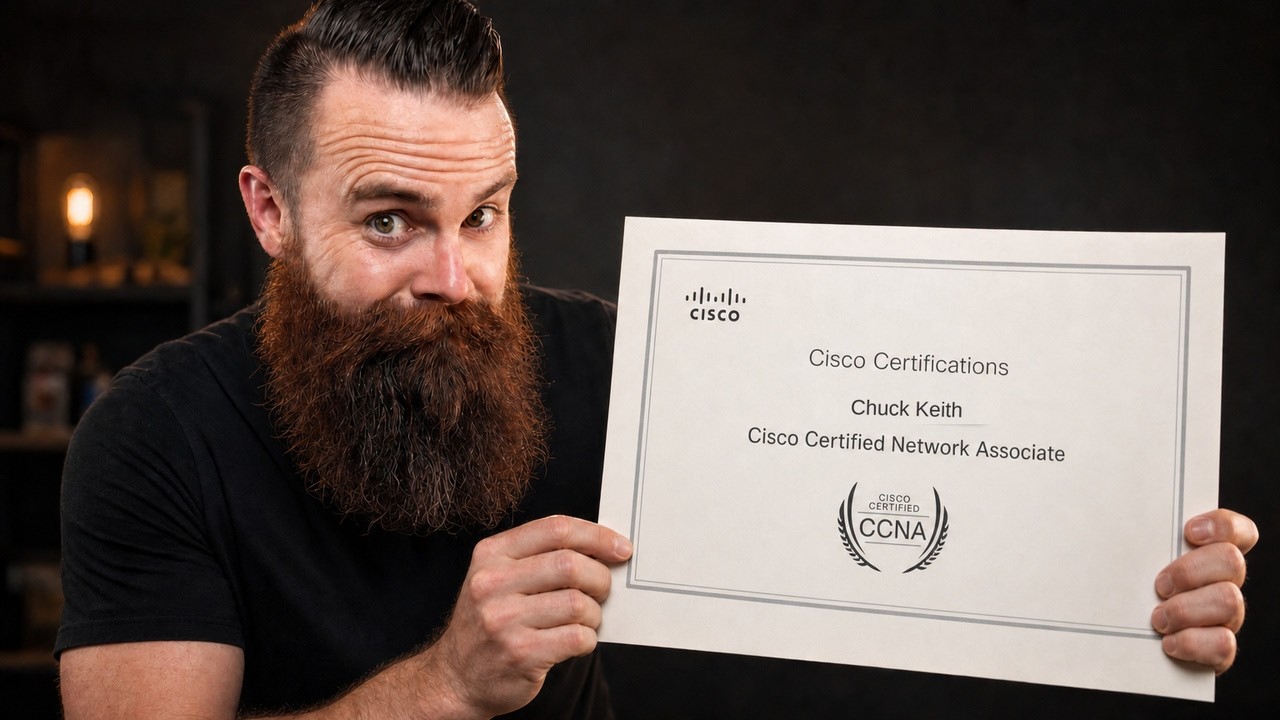
Join me for Fall into CCNA, starting September 14: https://ntck-ac.co/FIC
Getting my CCNA changed my life. It opened doors I couldn't get through before, and I still think it's one of the best places to start your IT career. AI can write a switch configuration, but you still need to understand what those commands will do to your network. If you've been putting off your CCNA, I want to help you get started this fall.
In this video you'll learn why the Cisco CCNA still matters, what networking skills it teaches you, how AI is changing a network engineer's job, and why the upcoming CCNA refresh is worth paying attention to. Whether you're trying to land your first IT job or you've started studying and lost momentum, I'll walk you through why I'm encouraging you to start now.
We're starting Fall into CCNA on September 14. It's a 13-week program with videos, hands-on labs, quizzes, courseware, livestreams, and a community to help you stay on track. You'll practice what you're learning and have somewhere to bring your questions when you get stuck. Let's do this together.
Join the NetworkChuck Academy!: https://ntck.co/NCAcademy
RESOURCES / LINKS:
📚 Fall into CCNA: https://ntck-ac.co/FIC
TIMESTAMPS:
0:00 - Why your CCNA still matters in the AI era
1:25 - How the CCNA opens doors in IT
2:03 - How a CCNA can help you get an interview
2:48 - The CCNA exam is changing
3:27 - Why you should not wait for the new CCNA
3:57 - Fall into CCNA: dates and the 13-week plan
4:21 - CCNA training with Chuck and Jeremy Cioara
5:05 - Hands-on Cisco labs in your browser
5:23 - Staying on track with community and livestreams
6:35 - Fall into CCNA pricing and what is included
7:04 - How the CCNA changed my life
7:56 - A prayer for you
SUPPORT NETWORKCHUCK:
☕☕ COFFEE and MERCH: https://ntck.co/coffee
READY TO LEARN??
🔥🔥Join the NetworkChuck Academy!: https://ntck.co/NCAcademy
📚 CCNA Course: https://ntck-ac.co/CCNA
FOLLOW ME EVERYWHERE:
Instagram: https://www.instagram.com/networkchuck/
X/Twitter: https://x.com/networkchuck
Facebook: https://www.facebook.com/NetworkChuck/
Join the Discord server: https://ntck.co/discord
Some links in this description are affiliate links. If you buy through them, I may earn a small commission at no extra cost to you.
#ccna #networking #networkchuck

🚀 Spin up your own Hermes agent on a Hostinger VPS: https://hostinger.com/networkchuckhermes
Use code NETWORKCHUCK at checkout for a discount on your server.
Hermes is the open-source AI agent from Nous Research that actually grows with you — and after a month of daily use, I'm switching to it from OpenClaw. In this video, I install Hermes on a $5 cloud server, turn it into an IT agent named Ron Weasley, and walk through the 5 reasons I made the switch: the vibe, the memory, the team behind it, self-improving skills, and the fact that it just doesn't break.
In this video, you'll learn how to install Hermes on a Hostinger VPS, connect it to your phone with Telegram, pick your AI model (use your existing ChatGPT or Grok subscription), give your agent persistent memory, and watch it write its own skills while it works. Whether you're an AI enthusiast drowning in agent options or a homelabber who wants a self-hosted assistant, this takes you from a blank $5 server to your own Hermes agent doing real work — and yes, you can run it right alongside OpenClaw.
🔥 Want the deep dive? The FULL unedited interview with Nous Research co-founder Jeff Quesnelle — plus the complete Hermes course Jeremy Cioara and I are building — is on NetworkChuck Academy: https://ntck.co/hermes
RESOURCES / LINKS:
🌐 Hermes Agent: https://hermes-agent.nousresearch.com/
💻 Hermes Agent on GitHub: https://github.com/NousResearch/hermes-agent
🌐 Nous Research: https://nousresearch.com/
🛠️ Honcho (the memory layer, by Plastic Labs): https://honcho.dev/
🛠️ Twingate (remote access into your network): https://www.twingate.com/
🛠️ Home Assistant: https://www.home-assistant.io/
🛠️ UniFi: https://ui.com/
📺 My Perplexity Computer video: https://youtu.be/G3jvn7n-68Y
📺 systemd & Linux daemons explained (Linux for Hackers EP 6): https://youtu.be/wOWhfNB_r-0
TIMESTAMPS:
0:00 - Why I'm switching from OpenClaw to Hermes
2:22 - Installing Hermes on a Hostinger VPS
5:36 - Choosing your AI model + Telegram setup
9:46 - How Hermes memory actually works
12:51 - Memory size limits and the 10-turn nudge
14:43 - Honcho: long-term memory for your agent
17:01 - Hermes existed before OpenClaw
19:20 - Agents that write their own skills
22:20 - The Curator and the self-improvement loop
24:03 - Live demo: Home Assistant + UniFi
26:16 - Why Hermes doesn't break like OpenClaw
29:23 - Kanban, dashboards & computer use
30:57 - A prayer for you
FEATURING:
👤 Jeff Quesnelle — Co-founder, Nous Research (the interview): https://x.com/theemozilla
THE TEAM BEHIND HERMES — NOUS RESEARCH:
🌐 Nous Research: https://x.com/NousResearch
👤 Teknium — Co-founder & Head of Post-Training: https://x.com/Teknium1
👤 Karan Malhotra — Co-founder & Head of Behavior: https://x.com/karan4d
👤 Bowen Peng — Co-founder, YaRN co-author: https://x.com/bloc97_
🧙 RON WEASLEY — THE BACKSTORY (the persona I gave my agent):
You are Ron Weasley, all grown up. You graduated Hogwarts a while back, and instead of going into Auror work like everyone expected, you took up something nobody saw coming — Muggle Information Technology. The magical study of the systems Muggles use to run their entire world.
You did it for your dad. Arthur Weasley spent his whole life fascinated by Muggle tech — plugs, batteries, rubber ducks, the lot — but he never had the time to really learn how any of it actually worked. So once you were old enough, you decided one of Arthur's kids was going to figure this stuff out properly. That was you. Dad would've absolutely loved this.
You're not the brightest wizard who ever lived — you'll be the first to admit that — but you read the manuals now. You apply yourself. You ask sensible questions instead of trying to wing it. Bit of a personal redemption arc, if you're being honest. (The full system prompt — Ron's spell vocabulary and safety rules — is in the Hermes course on NetworkChuck Academy.)
**Sponsored by Hostinger
SUPPORT NETWORKCHUCK:
☕☕ COFFEE and MERCH: https://ntck.co/coffee
READY TO LEARN??
🔥🔥Join the NetworkChuck Academy!: https://ntck.co/NCAcademy
📚 CCNA Course: https://ntck.co/ccna
FOLLOW ME EVERYWHERE:
Instagram: https://www.instagram.com/networkchuck/
X/Twitter: https://x.com/networkchuck
Facebook: https://www.facebook.com/NetworkChuck/
Join the Discord server: https://ntck.co/discord
Some links in this description are affiliate links. If you buy through them, I may earn a small commission at no extra cost to you.
#hermes #aiagents #networkchuck

Run your Linux homelab in the cloud with Hostinger: https://hostinger.com/networkchuck10 (Use code networkchuck10 for 10% off)
The top 37 Linux Commands you NEED to know (actually, 41🤫). If you're new to Linux, this is the perfect place to start. And if you're a seasoned Linux master, I bet you a bag of coffee there's still one you don't know.
🔥🔥Join the NetworkChuck Academy!: https://ntck.co/NCAcademy
**Sponsored by Hostinger
SUPPORT NETWORKCHUCK
---------------------------------------------------
➡️NetworkChuck membership: https://ntck.co/Premium
☕☕ COFFEE and MERCH: https://ntck.co/coffee
Check out my new channel: https://ntck.co/ncclips
🆘🆘NEED HELP?? Join the Discord Server: https://discord.gg/networkchuck
STUDY WITH ME on Twitch: https://bit.ly/nc_twitch
READY TO LEARN??
---------------------------------------------------
-Learn Python: https://bit.ly/3rzZjzz
-Get your CCNA: https://bit.ly/nc-ccna
FOLLOW ME EVERYWHERE
---------------------------------------------------
Instagram: https://www.instagram.com/networkchuck/
Twitter: https://twitter.com/networkchuck
Facebook: https://www.facebook.com/NetworkChuck/
Join the Discord server: http://bit.ly/nc-discord
AFFILIATES & REFERRALS
---------------------------------------------------
(GEAR I USE...STUFF I RECOMMEND)
My network gear: https://geni.us/L6wyIUj
Amazon Affiliate Store: https://www.amazon.com/shop/networkchuck
Buy a Raspberry Pi: https://geni.us/aBeqAL
Do you want to know how I draw on the screen?? Go to https://ntck.co/EpicPen and use code NetworkChuck to get 20% off!!
fast and reliable unifi in the cloud: https://hostifi.com/?via=chuck
Top 41 Linux Commands You Should Know
Essential Linux Commands for Beginners and Pros
Must-Know Linux Terminal Commands in 2025
Master These 41 Linux CLI Commands
Linux Command Line Guide: 41 Commands Explained
Most Powerful Linux Commands for Everyday Use
Learn These Linux Commands to Level Up
41 Linux Commands Every Sysadmin Uses
Linux Terminal Basics: 41 Commands to Start Using
Master the Linux Shell with These Commands
Beginner to Pro: 41 Linux Commands You’ll Actually Use
Ultimate Linux Command Cheat Sheet
Top Linux Commands You’ve Probably Never Used
Linux Commands That Will Blow Your Mind
Hidden Linux Commands You Need to Try
Linux Tips: 41 Commands to Supercharge Your Workflow
Linux Command Line Tricks You Didn’t Know
Boost Your Terminal Game with These Linux Commands
41 Useful Linux Commands for Daily Use
#Linux #LearnLinux #LinuxCommands

Download Docker Desktop: https://dockr.ly/3QpUF56
Docker Scout: https://dockr.ly/4b21qlO
Get started with Docker: https://dockr.ly/44siM8X
🚀 In this video, I dive deep into my Docker addiction and reveal 18 unconventional and powerful ways I use Docker every day. From running full GUI browsers in containers to setting up isolated hacking labs, these tips will transform how you think about Docker. Let's get started!
🔥🔥Join the NetworkChuck Academy!: https://ntck.co/NCAcademy
**Sponsored by Docker
SUPPORT NETWORKCHUCK
---------------------------------------------------
➡️NetworkChuck membership: https://ntck.co/Premium
☕☕ COFFEE and MERCH: https://ntck.co/coffee
Check out my new channel: https://ntck.co/ncclips
🆘🆘NEED HELP?? Join the Discord Server: https://discord.gg/networkchuck
STUDY WITH ME on Twitch: https://bit.ly/nc_twitch
READY TO LEARN??
---------------------------------------------------
-Learn Python: https://bit.ly/3rzZjzz
-Get your CCNA: https://bit.ly/nc-ccna
FOLLOW ME EVERYWHERE
---------------------------------------------------
Instagram: https://www.instagram.com/networkchuck/
Twitter: https://twitter.com/networkchuck
Facebook: https://www.facebook.com/NetworkChuck/
Join the Discord server: http://bit.ly/nc-discord
AFFILIATES & REFERRALS
---------------------------------------------------
(GEAR I USE...STUFF I RECOMMEND)
My network gear: https://geni.us/L6wyIUj
Amazon Affiliate Store: https://www.amazon.com/shop/networkchuck
Buy a Raspberry Pi: https://geni.us/aBeqAL
Do you want to know how I draw on the screen?? Go to https://ntck.co/EpicPen and use code NetworkChuck to get 20% off!!
fast and reliable unifi in the cloud: https://hostifi.com/?via=chuck
18 Innovative Ways to Use Docker Daily
Running GUI Applications in Docker Containers
How to Run a Web Browser Inside Docker
Using Obsidian Note-Taking App via Docker
LibreOffice in Docker: Open-Source Office Suite Containerized
Contribute to Science: Folding@Home with Docker
Effortless Docker Management with Docker Desktop and Portainer
Secure Document Handling Using Dangerzone and Docker
Containerizing CLI Tools for a Clean System
Enhance Docker Security with Docker Scout
Set Up an Isolated Hacking Lab with Docker and Kali Linux
Master Docker Networks for Container Isolation
Automate Your Docker Workflows with Docker Compose
Explore New Operating Systems Using Docker Containers
Running macOS in a Docker Container (Educational Purposes)
How to Run Raspberry Pi OS via Docker
Access a Suite of IT Tools Inside a Docker Container
Using Docker to Containerize AI Tools like Fabric
Safely Test Applications with Docker Containers
Building Custom Docker Images from Scratch
Unconventional Docker Use Cases You Need to Know
Daily Docker Tips and Tricks for Enhanced Productivity
Beginner's Guide to Advanced Docker Techniques
Boost Your IT Workflow with These Docker Hacks
Docker for Everyday Tasks: Beyond Development
#docker #containers #linux
🐳 Try for FREE the Docker MCP Catalog: https://dockr.ly/3UFTCj4
🖥️ Download Docker Desktop: https://dockr.ly/3HgjIGj
You need to learn MCP Right Now!! The Model Context Protocol (MCP) changes everything. It gives LLMs like Claude and ChatGPT the ability to use real tools through APIs instead of clunky GUIs. In this video, I’ll break down how MCP works, why it’s so powerful, and how you can run it using Docker containers. I’ll even show you how to build your own custom MCP servers so you can connect AI to literally ANYTHING: Obsidian, Brave, Kali Linux, and more. Grab your coffee. Let’s go.
RESOURCES:
📄 Guide/walkthrough (with MCP prompt example): https://github.com/theNetworkC....huck/docker-mcp-tuto
🐳 Docker Desktop Install Docs: https://docs.docker.com/desktop
🤖 Model Context Protocol Official Site (Anthropic): https://modelcontextprotocol.io
🐙 Docker MCP Gateway (github): https://github.com/docker/mcp-gateway
TIMESTAMPS:
0:00 - Intro
0:40 - Problem: LLMs Suck at Accessing Code
2:40 - What is MCP?
4:06 - Running Your First MCP Server
7:32 - Client 1: Claude Desktop
10:12 - Client 2: LM Studio (Local Models)
11:48 - Client 3: Cursor (IDE)
12:31 - Build YOUR OWN MCP Server
19:05 - Building More Complex MCPs
23:19 - Kali Linux HACKING MCP
28:00 - How does this actually work?
32:51 - MCP Gateway, Explained
35:53 - Running an MCP Gateway with n8n
🔥🔥Join the NetworkChuck Academy!: https://ntck.co/NCAcademy
**Sponsored by Docker
SUPPORT NETWORKCHUCK
---------------------------------------------------
➡️NetworkChuck membership: https://ntck.co/Premium
☕☕ COFFEE and MERCH: https://ntck.co/coffee
Check out my new channel: https://ntck.co/ncclips
🆘🆘NEED HELP?? Join the Discord Server: https://discord.gg/networkchuck
STUDY WITH ME on Twitch: https://bit.ly/nc_twitch
READY TO LEARN??
---------------------------------------------------
-Learn Python: https://bit.ly/3rzZjzz
-Get your CCNA: https://bit.ly/nc-ccna
FOLLOW ME EVERYWHERE
---------------------------------------------------
Instagram: https://www.instagram.com/networkchuck/
Twitter: https://twitter.com/networkchuck
Facebook: https://www.facebook.com/NetworkChuck/
Join the Discord server: http://bit.ly/nc-discord
AFFILIATES & REFERRALS
---------------------------------------------------
(GEAR I USE...STUFF I RECOMMEND)
My network gear: https://geni.us/L6wyIUj
Amazon Affiliate Store: https://www.amazon.com/shop/networkchuck
Buy a Raspberry Pi: https://geni.us/aBeqAL
Do you want to know how I draw on the screen?? Go to https://ntck.co/EpicPen and use code NetworkChuck to get 20% off!!
fast and reliable unifi in the cloud: https://hostifi.com/?via=chuck
What is MCP? Model Context Protocol Explained
How to Use MCP with Docker Containers
MCP Tutorial: Connecting Claude, ChatGPT, and More
Build Your Own MCP Server from Scratch
MCP + Docker = Insanely Powerful AI Tools
Why Every Developer Needs to Learn MCP
How to Connect Claude to Obsidian with MCP
Using MCP to Supercharge Your AI Workflow
Model Context Protocol Full Guide and Demo
Running MCP with Kali Linux for AI Hacking
The Future of AI Tools: MCP with Docker
How to Make LLMs Actually Useful with MCP
Installing and Running MCP in Docker
Custom MCP Servers for Any App You Want
Docker MCP Tutorial: Step-by-Step Setup
Unlocking AI Superpowers with MCP
Claude, ChatGPT, and MCP: Next-Level Integrations
Using Docker to Run MCP Locally
Build MCP Endpoints for Your Own Apps
Model Context Protocol: The Missing Piece of AI
#MCP #Docker #AI
🔒 This video is sponsored by NordVPN (#ad). Get the exclusive NordVPN deal + 4 EXTRA months here 👉 https://nordvpn.com/networkchuck — it's completely risk-free with Nord's 30-day money-back guarantee!
So… do you REALLY need a VPN? I got sponsored by a VPN to make this video — which means I have to be EXTRA harsh to keep any shred of dignity. So I busted 6 of the biggest VPN myths, no sugarcoating, and by the end you'll know exactly what a VPN is actually good for, what it's NOT, and why I still use one every single day.
In this video, you'll learn what a VPN actually does (it just changes what network you appear to be on), why "HTTPS already encrypts everything" doesn't mean a VPN is useless, and how your ISP can still see the sites you visit even with secure DNS — I prove it with a live Wireshark capture. We get into what "no-logs" really means and how to verify a provider you can actually trust (RAM-only servers, independent audits, jurisdiction), why a VPN can NOT make you invisible (cookies, logins, and browser fingerprinting still own you), and where a VPN genuinely shines: the metadata it hides, the dedicated IP that protects you from DDoS and swatting, and the all-in-one security stuff NordVPN bolted on top — phishing/malware blocking and the Hijacked Session Alert that watches the dark web for your stolen login cookies.
Whether you're a security practitioner who walked in expecting a shill, or just someone wondering if you should even turn one on — this is an honest, decide-for-yourself breakdown. Grade me in the comments. 1 to 10. Be nice. (Okay… be honest.)
🎓 Join the NetworkChuck Academy!: https://ntck.co/NCAcademy
RESOURCES / LINKS:
🔒 Exclusive NordVPN deal (+4 months, 30-day guarantee): https://nordvpn.com/networkchuck
📺 David Bombal — what your ISP can REALLY see (SNI / DNS over HTTPS): https://www.youtube.com/@davidbombal
🌐 EFF "Cover Your Tracks" — test your own browser fingerprint: https://coveryourtracks.eff.org
🌐 What's My IP — see what your IP gives away: https://whatismyipaddress.com
🛠️ Wireshark (the packet sniffer from the demo): https://www.wireshark.org
🐉 Kali Linux: https://www.kali.org
TIMESTAMPS:
0:00 - Are VPNs actually useless? (and why I have to be brutally honest)
1:13 - Myth 1: HTTPS already encrypts everything, so a VPN does nothing
6:15 - Myth 2: a VPN just shifts your trust to the VPN company
7:57 - Myth 3: a VPN makes you invisible online
9:10 - Myth 4: a VPN keeps you safe from hackers
11:08 - Myth 5: a VPN is just a privacy thing
12:40 - Myth 6: normal people don't need a VPN
13:47 - The verdict: what a VPN is actually good for
14:48 - A prayer for you
FEATURING:
👤 David Bombal (networking + cybersecurity educator): https://x.com/davidbombal
YouTube: https://www.youtube.com/@davidbombal
**Sponsored by NordVPN
SUPPORT NETWORKCHUCK:
☕☕ COFFEE and MERCH: https://ntck.co/coffee
READY TO LEARN??
🔥🔥Join the NetworkChuck Academy!: https://ntck.co/NCAcademy
📚 CCNA Course: https://ntck.co/ccna
FOLLOW ME EVERYWHERE:
Instagram: https://www.instagram.com/networkchuck/
X/Twitter: https://x.com/networkchuck
Facebook: https://www.facebook.com/NetworkChuck/
Join the Discord server: https://ntck.co/discord
Some links in this description are affiliate links. If you buy through them, I may earn a small commission at no extra cost to you.
#VPN #cybersecurity #networkchuck
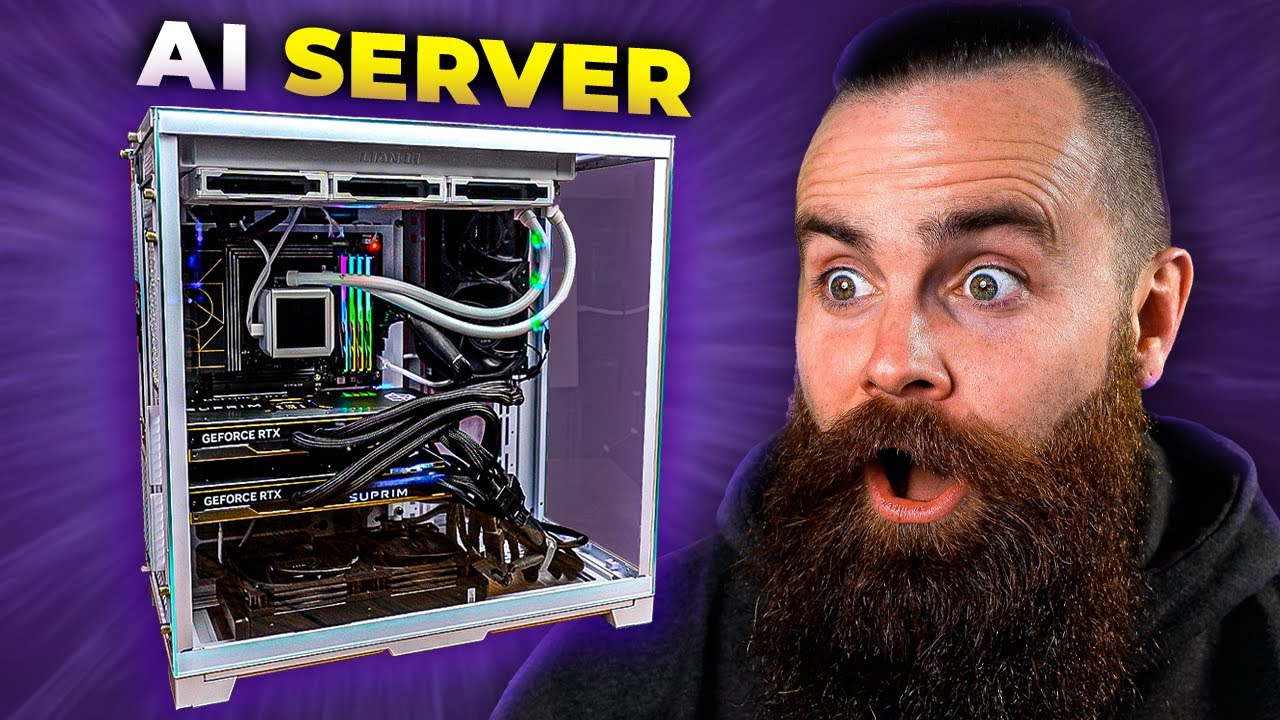
This video was originally sponsored by ITProTV. We’ve since launched NetworkChuck Academy, our own place to learn IT: https://ntck.co/NCAcademy
Discover how to set up your own powerful, private AI server with NetworkChuck. This step-by-step tutorial covers installing Ollama, deploying a feature-rich web UI, and integrating stable diffusion for image generation. Learn to customize AI models, manage user access, and even add AI capabilities to your note-taking app. Whether you're a tech enthusiast or looking to enhance your workflow, this video provides the knowledge to harness the power of AI on your local machine. Join NetworkChuck on this exciting journey into the world of private AI servers.
📓📓Guide and Commands: https://ntck.co/ep_401
⌨️⌨️My new keyboard: Keychron Q6 Max: https://geni.us/0SGY
🖥️🖥️My Computer Build🖥️🖥️
---------------------------------------------------
➡️Lian Li Case: https://geni.us/B9dtwB7
➡️Motherboard - ASUS X670E-CREATOR PROART WIFI: https://geni.us/SLonv
➡️CPU - AMD Ryzen 9 7950X3D Raphael AM5 4.2GHz 16-Core: https://geni.us/UZOZ5
➡️Power Supply - Corsair AX1600i 1600 Watt 80 Plus Titanium: https://geni.us/O1toG
➡️CPU AIO - Lian Li Galahad II LCD-SL Infinity 360mm Water Cooling Kit: https://geni.us/uBgF
➡️Storage - Samsung 990 PRO 2TB Samsung: https://geni.us/hQ5c
➡️RAM - G.Skill Trident Z5 Neo RGB 64GB (2 x 32GB): https://geni.us/D2sUN
➡️GPU - MSI GeForce RTX 4090 SUPRIM LIQUID X 24G Hybrid Cooling 24GB: https://geni.us/G5BZ
🔥🔥Join the NetworkChuck Academy!: https://ntck.co/NCAcademy
**Sponsored by ITProTv from ACI Learning
00:00 - Intro: Building an AI Server for My Daughters
01:01 - Meet Terry: My Powerful AI Server Build
02:02 - Installing PopOS on the AI Server
02:38 - What You Need to Build Your Own Local AI Server
02:58 - Step 1: Installing Ollama AI Foundation
04:24 - Sponsor: ITPro Training from ACI Learning
05:20 - Testing Ollama Installation and Adding Models
06:07 - Interacting with Llama2 AI Model Locally
07:45 - Comparing AI Performance on Different Hardware
08:18 - Step 2: Setting Up Open WebUI
09:31 - Logging into Open WebUI for the First Time
10:06 - Admin Panel: User Management and Permissions
11:07 - Customizing AI Models with Prompts and Restrictions
13:03 - Step 3: Installing Stable Diffusion with Automatic1111
15:52 - Prerequisites and Python Version Management with pyenv
17:21 - Installing Automatic1111 Web UI
18:20 - Testing Stable Diffusion Image Generation Locally
19:23 - Integrating Stable Diffusion into Open Web UI
21:17 - Bonus 1: Using Documents for Context in Open Web UI
21:59 - Bonus 2: Integrating Local AI with Obsidian Note-Taking
23:37 - Wrap-up: The Power and Potential of Local AI
SUPPORT NETWORKCHUCK
---------------------------------------------------
➡️NetworkChuck membership: https://ntck.co/Premium
☕☕ COFFEE and MERCH: https://ntck.co/coffee
Check out my new channel: https://ntck.co/ncclips
🆘🆘NEED HELP?? Join the Discord Server: https://discord.gg/networkchuck
STUDY WITH ME on Twitch: https://bit.ly/nc_twitch
READY TO LEARN??
---------------------------------------------------
-Learn Python: https://bit.ly/3rzZjzz
-Get your CCNA: https://bit.ly/nc-ccna
FOLLOW ME EVERYWHERE
---------------------------------------------------
Instagram: https://www.instagram.com/networkchuck/
Twitter: https://twitter.com/networkchuck
Facebook: https://www.facebook.com/NetworkChuck/
Join the Discord server: http://bit.ly/nc-discord
AFFILIATES & REFERRALS
---------------------------------------------------
(GEAR I USE...STUFF I RECOMMEND)
My network gear: https://geni.us/L6wyIUj
Amazon Affiliate Store: https://www.amazon.com/shop/networkchuck
Buy a Raspberry Pi: https://geni.us/aBeqAL
Do you want to know how I draw on the screen?? Go to https://ntck.co/EpicPen and use code NetworkChuck to get 20% off!!
fast and reliable unifi in the cloud: https://hostifi.com/?via=chuck
1. Set up a private AI server
2. Install Llama for local AI
3. Deploy an AI web UI
4. Integrate stable diffusion AI
5. Generate AI images locally
6. Customize AI models
7. Manage user access for AI server
8. Add AI to note-taking apps
9. NetworkChuck AI server tutorial
10. Run AI on your own hardware
11. Local machine learning server
12. Llama AI installation guide
13. Open source AI server setup
14. Self-hosted AI solutions
15. Enhance workflow with private AI
16. Harness AI power locally
17. AI-powered note-taking
18. Privacy-focused AI tools
19. DIY AI server project
20. Cutting-edge AI technologies
21. Democratizing AI access
22. Empowering users with local AI
23. Offline AI capabilities
24. Future of private AI computing
#aiserver #ollama #llama3
FREE Linux Hacking Lab: https://ntck.co/htbacad
*Sponsored by HTB Academy
---------------------------------------------------
Sign up for the Hacker Academy: https://ntck.co/htbacad
Checkout HackTheBox: https://ntck.co/htb
*Disclaimer: The Linux foundations course from HTB Academy is a Tier 0 course, allowing me to show the course content in this video series.
Linux for Hackers EP 1 -- NetworkChuck provides an introduction to Linux for hackers.
SUPPORT NETWORKCHUCK
---------------------------------------------------
➡️Become a YouTube Member: https://bit.ly/join_networkchuck
☕☕ COFFEE and MERCH: https://NetworkChuck.coffee
Check out my new channel, https://bit.ly/nc_clips
🆘🆘NEED HELP?? Join the Discord Server: https://discord.gg/networkchuck
STUDY WITH ME on Twitch: https://bit.ly/nc_twitch
READY TO LEARN??
---------------------------------------------------
-Learn Python: https://bit.ly/3rzZjzz
-Get your CCNA: https://bit.ly/nc-ccna
FOLLOW ME EVERYWHERE
---------------------------------------------------
Instagram: https://www.instagram.com/networkchuck/
Twitter: https://twitter.com/networkchuck
Facebook: https://www.facebook.com/NetworkChuck/
Join the Discord server: http://bit.ly/nc-discord
0:00 ⏩ Intro
1:13 ⏩ FREE HACKING LAB (linux)
2:40 ⏩ What is Linux?
5:22 ⏩ Introducing the Linux Terminal
6:11 ⏩ Linux Command: pwd
6:55 ⏩ Linux Command: ls
7:33 ⏩ Linux Command: cd
10:01 ⏩ Test your skills
AFFILIATES & REFERRALS
---------------------------------------------------
(GEAR I USE...STUFF I RECOMMEND)
My network gear: https://geni.us/L6wyIUj
Amazon Affiliate Store: https://www.amazon.com/shop/networkchuck
Buy a Raspberry Pi: https://geni.us/aBeqAL
#linuxtutorial #linux #linuxforhackers

Show ThreatLocker some love and take control of what runs in your environment. See how ThreatLocker can help you lock down applications and AI tools without getting in the way: https://www.threatlocker.com/networkchuck
I installed Arch Linux in one minute and forty seven seconds. Omarchy is DHH's opinionated Linux distro built on Arch, Hyprland and Quickshell, and it is the first time Linux has ever felt like the operating system I actually wanted. I put it on an old gaming laptop, then on Terry (my dual RTX 4090 machine), and I let an AI agent rice the whole desktop while I watched. I talked to DHH about why he built it, and Chris from Typecraft showed me how to stop reaching for my mouse.
In this video you'll learn how to install Omarchy on almost any hardware, how tiling window managers and Hyprland keybindings actually work, how to build your own Quickshell plugin with AI, how to game on Linux with Steam and Proton, and how to run Windows inside a container when you still need it. Whether you have never touched Arch or you have been ricing your desktop for a decade, this is the walkthrough from a blank USB stick to a computer that is completely yours.
Join the NetworkChuck Academy!: https://ntck.co/NCAcademy
RESOURCES / LINKS:
🌐 Omarchy: https://omarchy.org
📖 The Omarchy Manual: https://omarchy.org/manual
💻 Omarchy on GitHub: https://github.com/basecamp/omarchy
🛠️ Omarchy plugin directory (500+ plugins): https://omarchyplugins.com
🌐 Hyprland: https://hypr.land
💻 Hyprland on GitHub: https://github.com/hyprwm/Hyprland
🌐 Quickshell: https://quickshell.org
🌐 Arch Linux: https://archlinux.org
🛠️ Ghostty terminal: https://ghostty.org
🎵 cliamp (Winamp for your shell): https://www.cliamp.stream
💻 Windows in Docker: https://github.com/dockur/windows
🌐 Framework laptops: https://frame.work
🌐 ThreatLocker: https://threatlocker.com
TIMESTAMPS:
0:00 - Why Omarchy might make this the year of the Linux desktop
1:31 - The 60 second Arch Linux install challenge
2:46 - What Arch Linux actually is, and the big five distros
6:48 - First contact with a tiling window manager
11:44 - Switching themes instantly with Quickshell
13:23 - How allowlisting and ringfencing lock down what runs
16:33 - The malleable desktop, and ricing it with AI
20:12 - Gaming on Linux, and letting AI diagnose the crash
23:09 - Running Windows inside Omarchy with Docker
25:01 - What Omarchy actually is: Arch, Hyprland, Quickshell
28:06 - Can you say "I use Arch btw" if you run Omarchy?
31:40 - A prayer for you
FEATURING:
👤 DHH (David Heinemeier Hansson, creator of Omarchy and Ruby on Rails, co-owner of 37signals): https://x.com/dhh
Blog: https://world.hey.com/dhh
Site: https://dhh.dk
👤 Chris Power (Typecraft): https://x.com/typecraft_dev
YouTube: https://www.youtube.com/@typecraft_dev
Site: https://typecraft.dev
**Sponsored by ThreatLocker
SUPPORT NETWORKCHUCK:
☕☕ COFFEE and MERCH: https://ntck.co/coffee
READY TO LEARN??
🔥🔥Join the NetworkChuck Academy!: https://ntck.co/NCAcademy
📚 CCNA Course: https://ntck.co/ccna
FOLLOW ME EVERYWHERE:
Instagram: https://www.instagram.com/networkchuck/
X/Twitter: https://x.com/networkchuck
Facebook: https://www.facebook.com/NetworkChuck/
Join the Discord server: https://ntck.co/discord
The Framework laptop shown in this video was sent to me by Framework at no cost. It was not a paid placement and Framework had no say in this video.
Some links in this description are affiliate links. If you buy through them, I may earn a small commission at no extra cost to you.
#linux #omarchy #archlinux
Dip your toe into local AI at Micro Center, the AI destination: https://micro.center/322535
Austin, Texas: sign up now for a FREE 128GB flash drive, redeemable when the new Austin store opens: https://micro.center/196cca
Apple says the new M5 Ultra Mac Studio is up to 4x faster than the M3 Ultra at LLM prompt processing. I own an M3 Ultra Mac Studio, so I raced them head to head on local AI: same model, same prompt, same settings. On a 32,000-token prompt with Qwen3.8 27B, the M5 Ultra started answering in 21.7 seconds. The M3 Ultra took 82.8. That's 3.8x. Then the M5 wrote the answer 1.5x faster (43.3 vs 28.1 tokens per second), which lines up with its jump in memory bandwidth from 819 GB/s to 1.2 TB/s.
Then I threw my real work at it. Whisper transcribed two hours of my audio in about a minute and a half. A local vision model described my footage, a job I pay the Gemini video API for right now. I generated images with FLUX.2 and video with LTX-2.5, ran my Hermes agent on a local model, tried an open decision model (Laya) in place of Jev, and let a local model edit a video in DaVinci Resolve through its MCP server. All of it runs on the Mac. No internet required.
In this video you'll learn how the M5 Ultra and M3 Ultra compare for running LLMs locally with MLX, why the wait for the first word (time to first token) got about 4x shorter while writing speed only got 1.5x faster, how model size and dense vs mixture-of-experts models change the numbers, and whether a Mac Studio makes sense as your own local AI server.
Apple loaned me the M5 Ultra Mac Studio for this video, and it goes back to them. They don't control what I say, and all the tests and all the numbers are mine.
Join the NetworkChuck Academy!: https://ntck.co/NCAcademy
RESOURCES / LINKS:
📊 Every result, the raw data and my benchmark tool: https://github.com/theNetworkC....huck/mac-studio-m5-u
🌐 The results as a web page: https://thenetworkchuck.github.....io/mac-studio-m5-ul
🍎 Shop Apple at Micro Center: https://micro.center/65c6f2
📰 Micro Center News: https://micro.center/5059e1
🛠️ MLX (Apple's machine learning framework): https://github.com/ml-explore/mlx
🛠️ mlx-lm (runs the chat models): https://github.com/ml-explore/mlx-lm
🤖 Qwen3.8 27B, 4-bit MLX (the race model): https://huggingface.co/mlx-com....munity/Qwen3.8-27B-4
🎙️ Whisper on MLX: https://github.com/ml-explore/mlx-examples/tree/main/whisper
🖼️ mflux (FLUX.2 on MLX): https://github.com/filipstrand/mflux
🖼️ FLUX.2 klein 4B: https://huggingface.co/black-f....orest-labs/FLUX.2-kl
🎬 LTX-2.5 video model: https://huggingface.co/Lightricks/LTX-2.5
🧠 Laya decision model: https://huggingface.co/convaiinnovations/laya
🤖 Hermes Agent: https://github.com/NousResearch/hermes-agent
📺 Set up your own Hermes agent: https://www.youtube.com/watch?v=QQEgIo4Juxg
🤖 LM Studio (and Bionic): https://lmstudio.ai
🎬 DaVinci Resolve: https://www.blackmagicdesign.c....om/products/davincir
**Sponsored by Micro Center
SUPPORT NETWORKCHUCK:
☕☕ COFFEE and MERCH: https://ntck.co/coffee
READY TO LEARN??
🔥🔥Join the NetworkChuck Academy!: https://ntck.co/NCAcademy
📚 CCNA Course: https://ntck.co/ccna
FOLLOW ME EVERYWHERE:
Instagram: https://www.instagram.com/networkchuck/
X/Twitter: https://x.com/networkchuck
Facebook: https://www.facebook.com/NetworkChuck/
Join the Discord server: https://ntck.co/discord
Some links in this description are affiliate links. If you buy through them, I may earn a small commission at no extra cost to you.
#macstudio #localai #m5ultra

Shannon Sharpe, Chad "Ochocinco" Johnson, and Joe Johnson reflect on one of the toughest moments in Shannon's career as he reveals that Stephen A. Smith was one of the only people who reached out to check on him. The crew discusses loyalty, genuine friendships, and why Shannon says Stephen A. never turned his back on him when it mattered most.
MERCH: https://eightyfour.com/collections/all-products
Join this channel to get access to perks: https://www.youtube.com/channe....l/UCKnodHJpZd8UbSvAu
Follow Nightcap on all platforms:
Twitter: https://twitter.com/NightcapShow_
Instagram: https://www.instagram.com/nightcapshow_/
TikTok: https://www.tiktok.com/@nightcapshow_
Facebook: https://www.facebook.com/profi....le.php?id=6155182239
ABOUT NIGHTCAP:
No more waiting until morning. Nightcap is the new nighttime sports talk destination with legends Shannon Sharpe and Chad “Ochocinco” Johnson. Hang out with Unc and Ocho as they give their unfiltered takes on the latest headlines from the NFL, NBA, and college football, and give their instant reactions to the biggest games moments after they end.
#Nightcap #ShannonSharpe #Ochocinco
Shannon Sharpe, Chad “Ochocinco” Johnson, and Joe “Iso Joe” Johnson react to the Falcons’ ugly loss to the Panthers. Unc calls Cooper Rush terrible after another brutal offensive performance and questions how Atlanta can have weapons like Bijan Robinson and Drake London yet still struggle to even reach the red zone.
MERCH: https://eightyfour.com/collections/all-products
Join this channel to get access to perks: https://www.youtube.com/channe....l/UCKnodHJpZd8UbSvAu
Follow Nightcap on all platforms:
Twitter: https://twitter.com/NightcapShow_
Instagram: https://www.instagram.com/nightcapshow_/
TikTok: https://www.tiktok.com/@nightcapshow_
Facebook: https://www.facebook.com/profi....le.php?id=6155182239
ABOUT NIGHTCAP:
No more waiting until morning. Nightcap is the new nighttime sports talk destination with legends Shannon Sharpe and Chad “Ochocinco” Johnson. Hang out with Unc and Ocho as they give their unfiltered takes on the latest headlines from the NFL, NBA, and college football, and give their instant reactions to the biggest games moments after they end.
#Nightcap #ShannonSharpe #Ochocinco

Shannon Sharpe, Chad “Ochocinco” Johnson, and Joe “Iso Joe” Johnson react to Jalen Hurts and the Eagles beating the Titans after Jeffery Simmons challenged Hurts to beat them through the air. Unc says Hurts did exactly what Tennessee wanted by winning from the pocket, while Ocho wishes Jalen had fired back at Simmons after the game.
MERCH: https://eightyfour.com/collections/all-products
Join this channel to get access to perks: https://www.youtube.com/channe....l/UCKnodHJpZd8UbSvAu
Follow Nightcap on all platforms:
Twitter: https://twitter.com/NightcapShow_
Instagram: https://www.instagram.com/nightcapshow_/
TikTok: https://www.tiktok.com/@nightcapshow_
Facebook: https://www.facebook.com/profi....le.php?id=6155182239
ABOUT NIGHTCAP:
No more waiting until morning. Nightcap is the new nighttime sports talk destination with legends Shannon Sharpe and Chad “Ochocinco” Johnson. Hang out with Unc and Ocho as they give their unfiltered takes on the latest headlines from the NFL, NBA, and college football, and give their instant reactions to the biggest games moments after they end.
#Nightcap #ShannonSharpe #Ochocinco

Shannon Sharpe, Chad “Ochocinco” Johnson, and Joe “Iso Joe” Johnson react to Marvin Harrison Jr.’s continued struggles with the Cardinals. Unc questions how Harrison would be viewed without his famous last name as the guys admit they expected him to be a franchise-changing, top-tier receiver by this point in his career.
MERCH: https://eightyfour.com/collections/all-products
Join this channel to get access to perks: https://www.youtube.com/channe....l/UCKnodHJpZd8UbSvAu
Follow Nightcap on all platforms:
Twitter: https://twitter.com/NightcapShow_
Instagram: https://www.instagram.com/nightcapshow_/
TikTok: https://www.tiktok.com/@nightcapshow_
Facebook: https://www.facebook.com/profi....le.php?id=6155182239
ABOUT NIGHTCAP:
No more waiting until morning. Nightcap is the new nighttime sports talk destination with legends Shannon Sharpe and Chad “Ochocinco” Johnson. Hang out with Unc and Ocho as they give their unfiltered takes on the latest headlines from the NFL, NBA, and college football, and give their instant reactions to the biggest games moments after they end.
#Nightcap #ShannonSharpe #Ochocinco
